Policies & Access Portal: Designing human-readable governance for database access
80%
Reduction in policy creation time
~10 min
Avg. Access approval time
1000+
Databases monitored
Products
Web Application (Admin)
Database Access Portal (Employees)
Team
Sr. Product Designer (Me)
Engineering Lead
Product Lead/CEO
My Role
Led end-to-end design for Policies and the Database Access Portal: research, IA, interaction design, visual design, design systems, feedback with design partners.
About Aurva
Aurva is a B2B SaaS platform for enterprise database security. Customers range from mid-size fintechs to large enterprises managing hundreds of data sources across AWS, GCP and on-premise environments.
Product
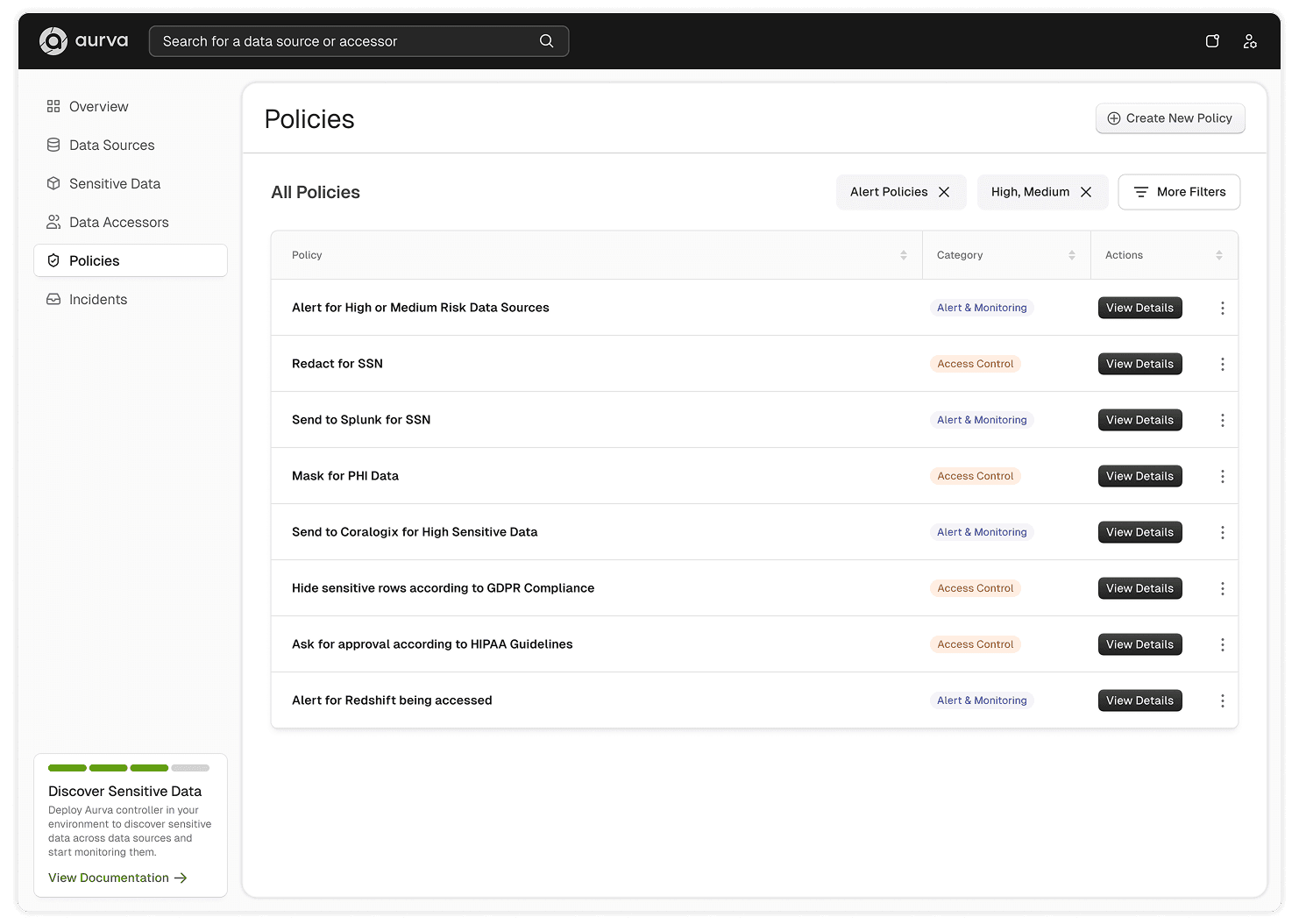
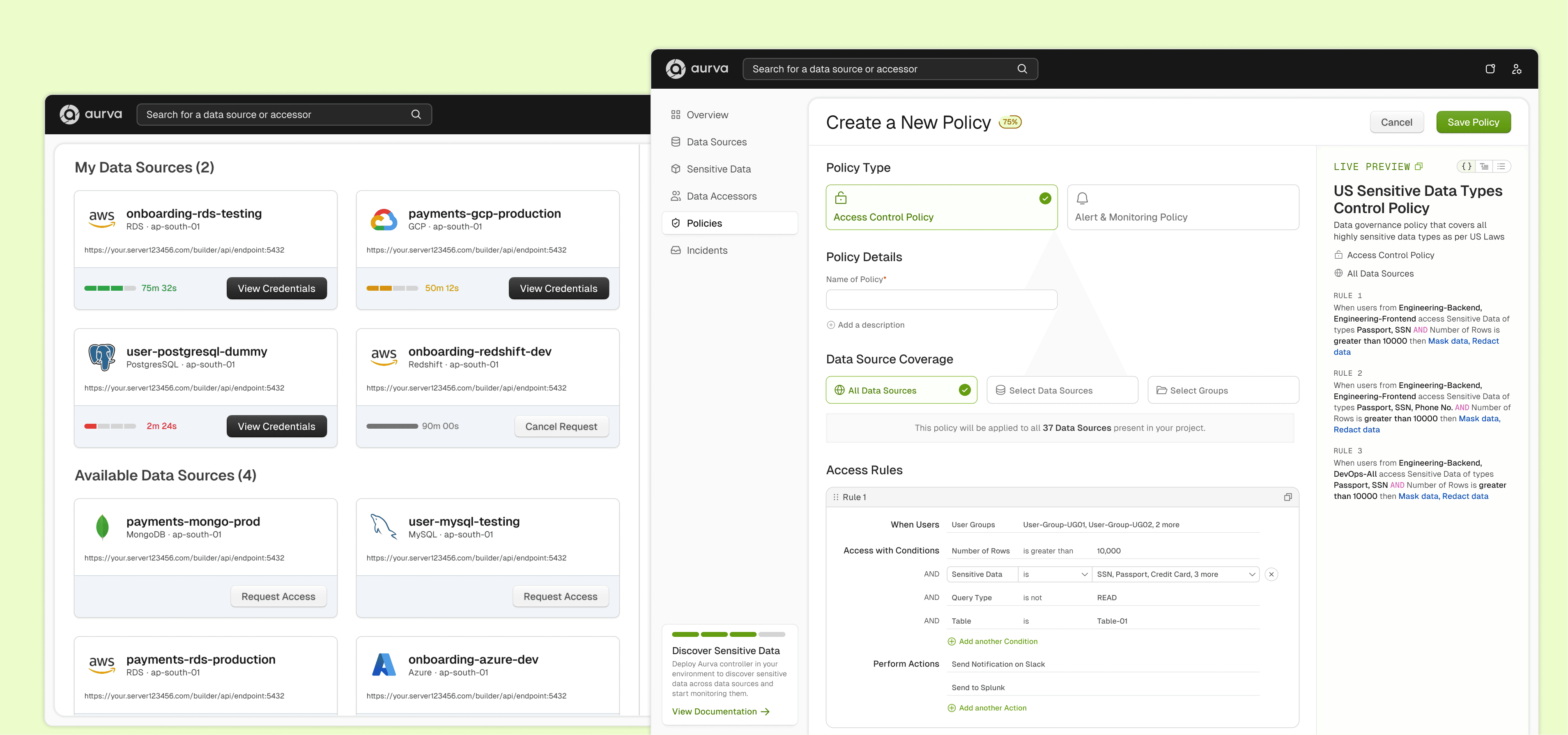
Policies lets security admins create rules that govern data access across an organisation's databases.
Two types of Policies: Access Control (masks SSNs, redacts rows) and Alert & Monitoring (notifies Slack or Splunk without interrupting the user).
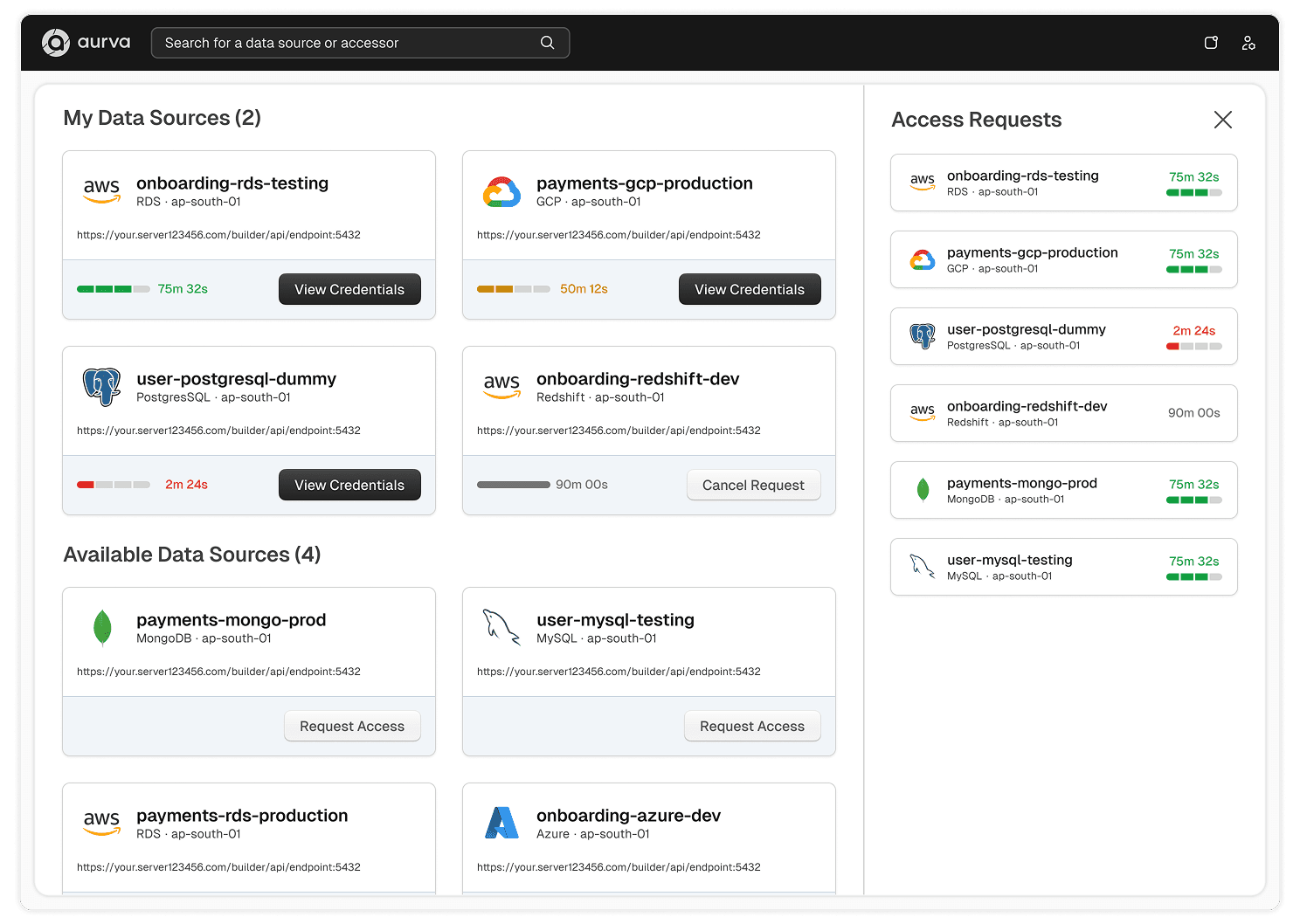
It's paired with a Database Access Portal where developers request time-bound credentials governed by those policies.
Business Requirements & Constraints
I scoped the project with Aurva's PM and Engineering Lead, against a lean team and existing design language.
OBJECTIVES FOR THE FEATURE
Give CISOs and admins a centralised, readable view of all active protections.
Replace CLI-heavy configuration with an intuitive visual builder.
Kill password-sharing workarounds (Slack password sharing, multi-day email approvals) by making the secure path the fastest path.
Make policies scalable. One policy applied across dozens of databases.
Challenges
Existing tools (Satori, Cyral, Imperva) hide policy creation behind dense panels or CLI. Three problems surfaced:
Admins had no centralised visibility into who accessed what.
Password sharing on Slack was rampant because the legitimate path took days.
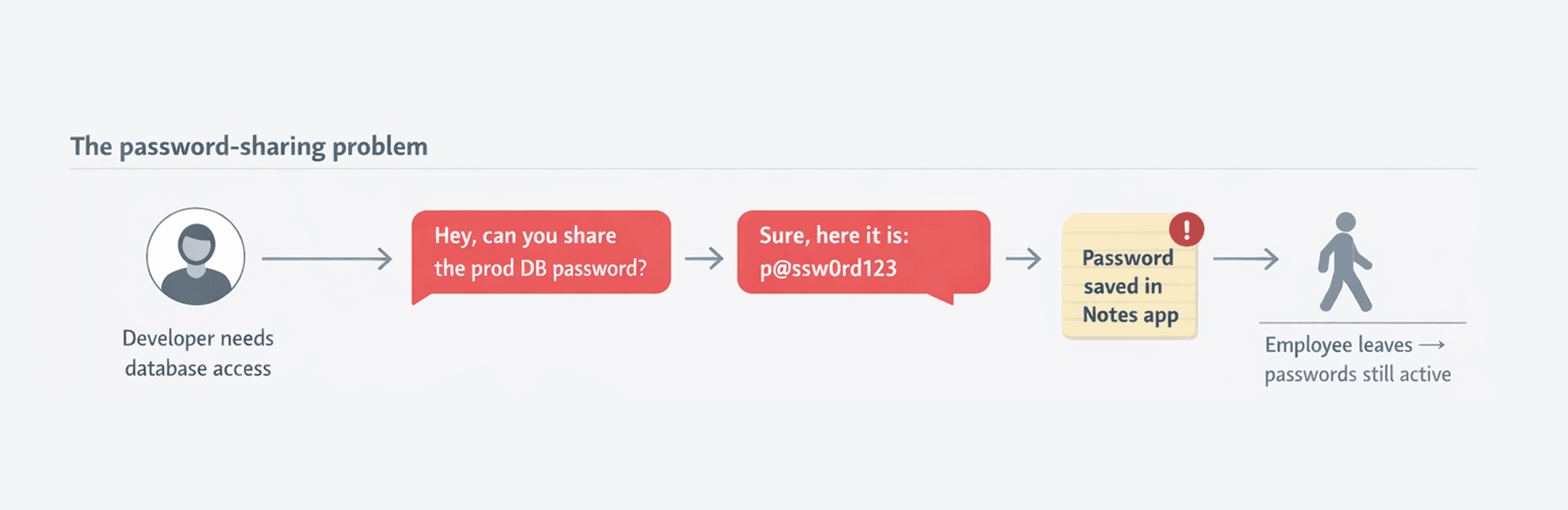
The email-chain approval flow trained developers to bypass security altogether.
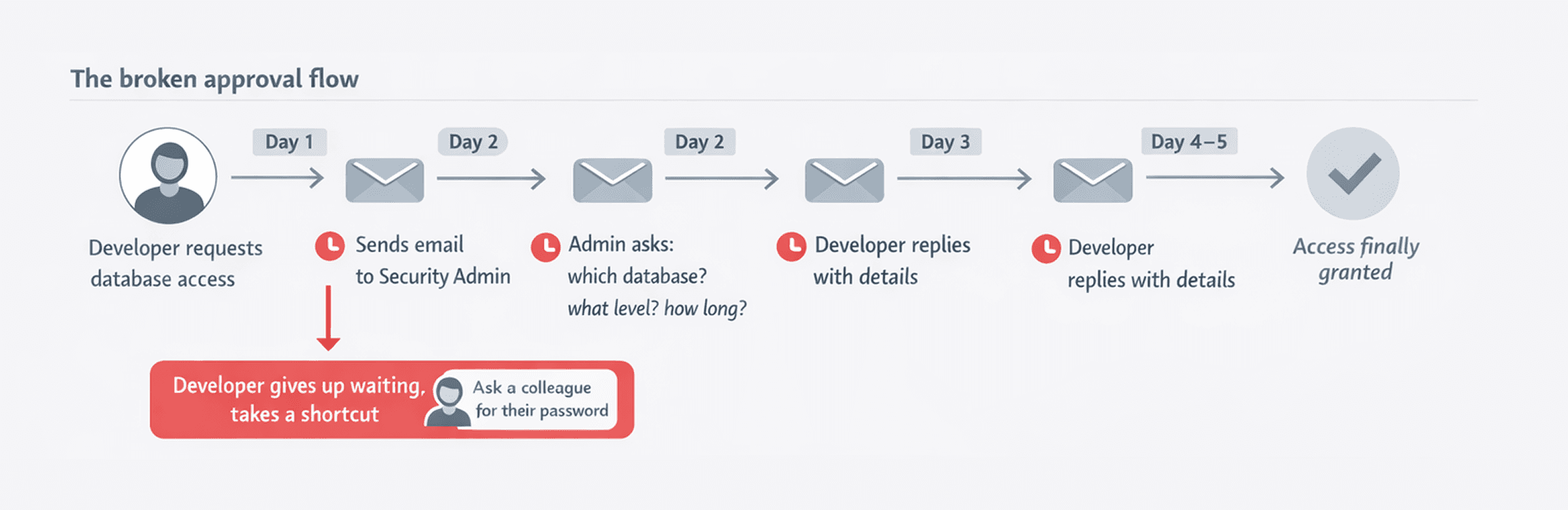
My challenge was to design a system where the secure path was also the fastest path, for both the admin creating the policy and the developer requesting access.
Research
USER RESEARCH
I interviewed 9 users across 3 persona groups.
CISOs wanted a bird's-eye view.
Security admins lacked proactive controls and were reacting instead of preventing.
Data consumers wanted fast access and hated the workarounds they were forced into.
Methodology: Semi-structured 45-minute interviews, two rounds, recruited via Aurva's customer base.
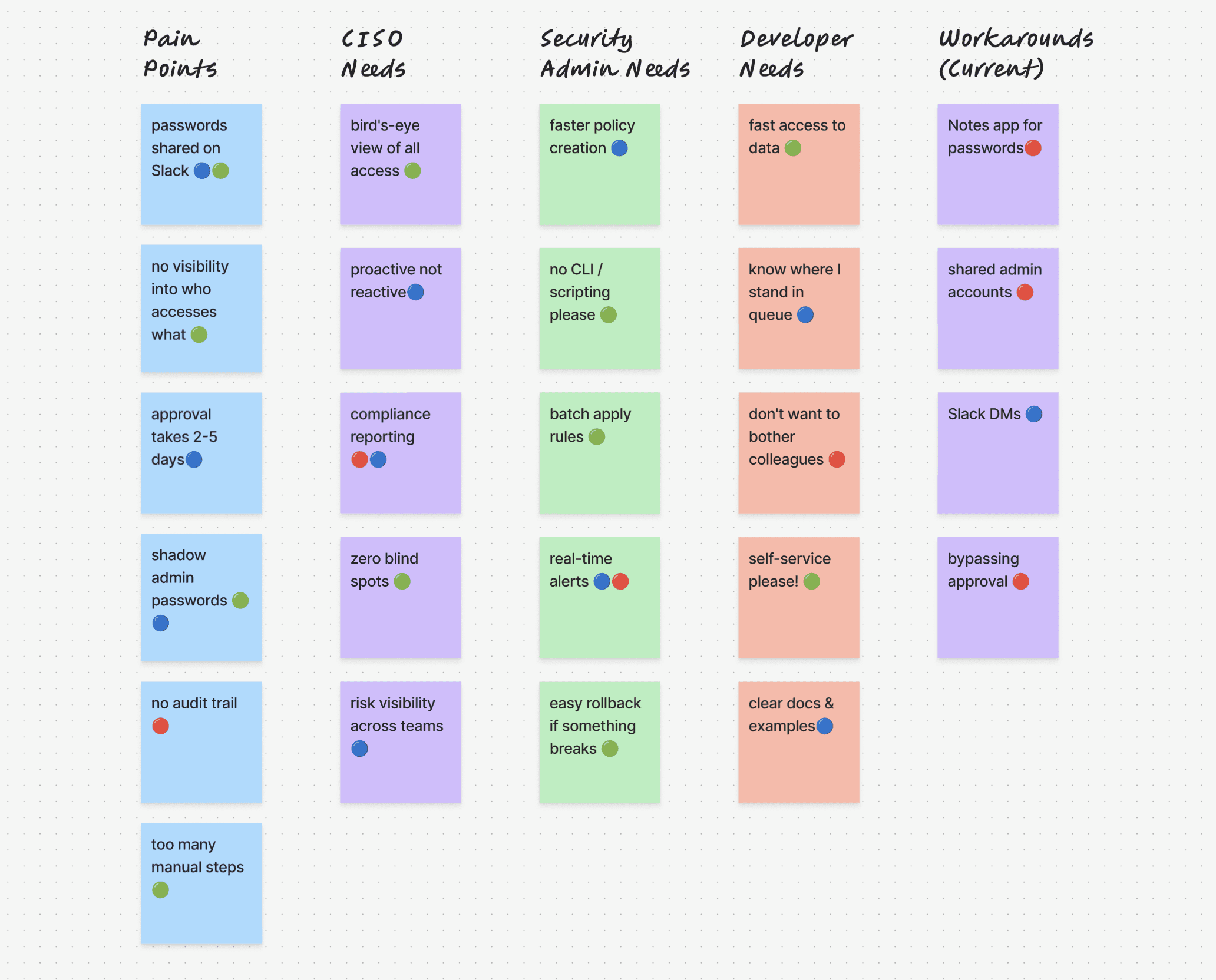
KEY RESEARCH INSIGHTS
The most useful insight was that the admin's mental model is hierarchical: Where is the data? → Who is touching it? → What should happen?
That sequence became the spine of the policy-creation flow.
The second insight reframed the password-sharing problem. It wasn't a discipline issue, it was a design issue. People shared credentials because the legitimate path took days.
COMPETITIVE ANALYSIS
I audited Satori, Cyral and Imperva. The common failure was a disconnect between the target (which database) and the logic (what rule), leading to invalid-rule errors. That directly informed the decision to separate data-source selection from rule-building.
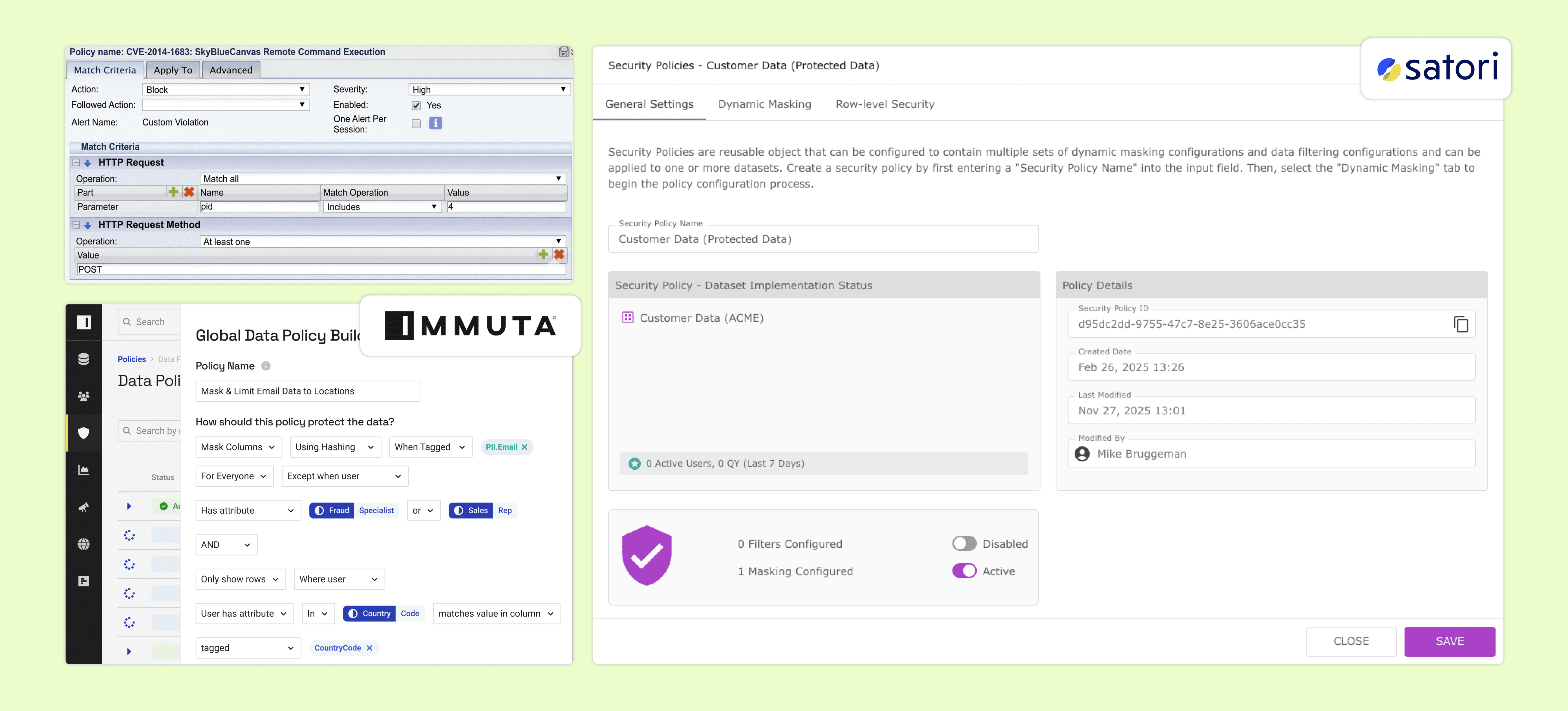
Wireframing & Iterations
THE STRUCTURED POLICY CREATOR
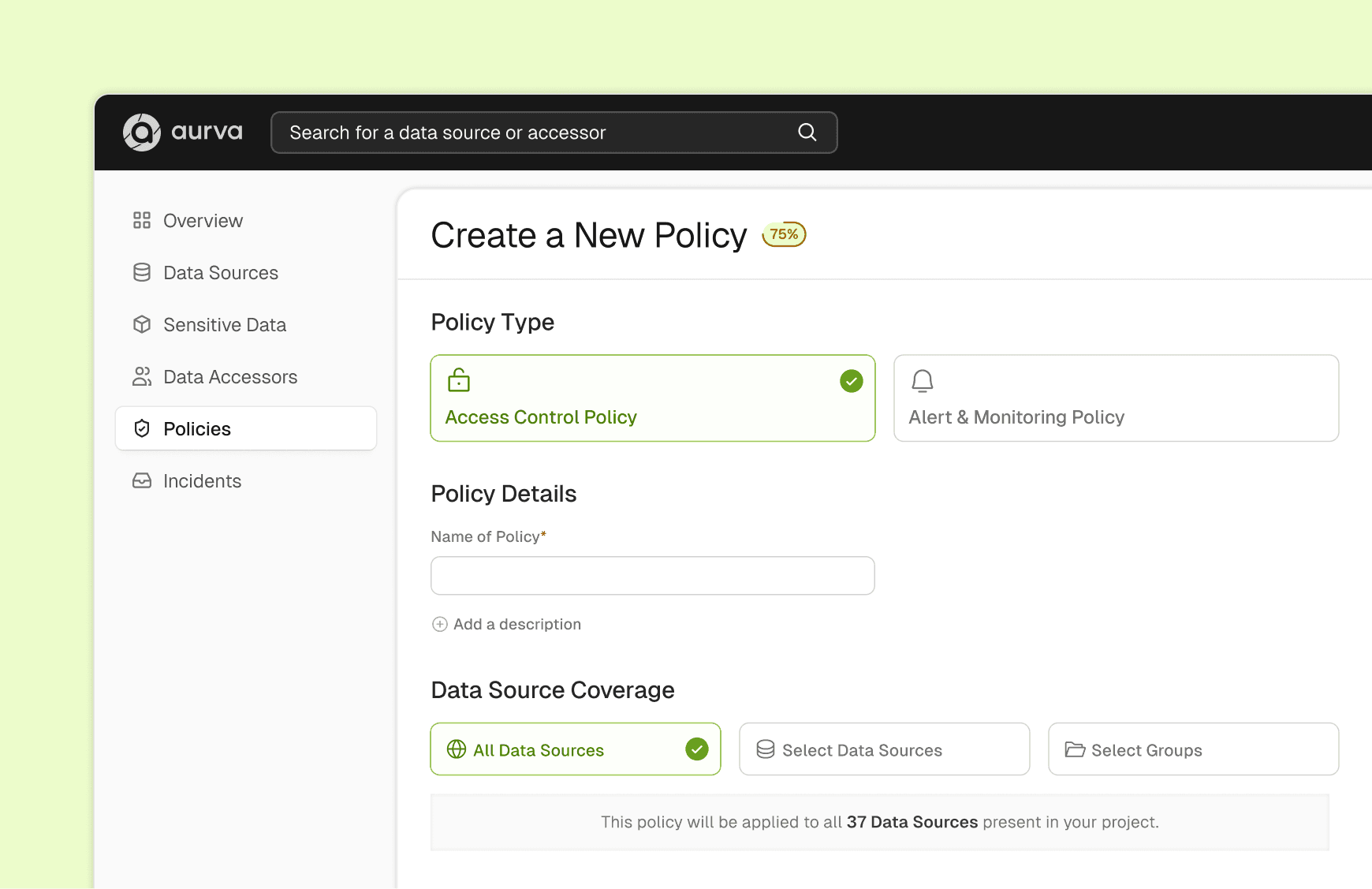
Following the hierarchical mental model, I mapped policy creation in two steps: Policy Details & Data Sources, then Apply Rules.
My first wireframe tried a single-page approach with data source as just another condition. It failed in review. The data source isn't a condition, it's the foundation. Selecting it first sets the policy's blast radius and lets us dynamically filter options downstream. A Postgres selection surfaces only Postgres schemas. This kills the invalid-rule errors competitors ship with.
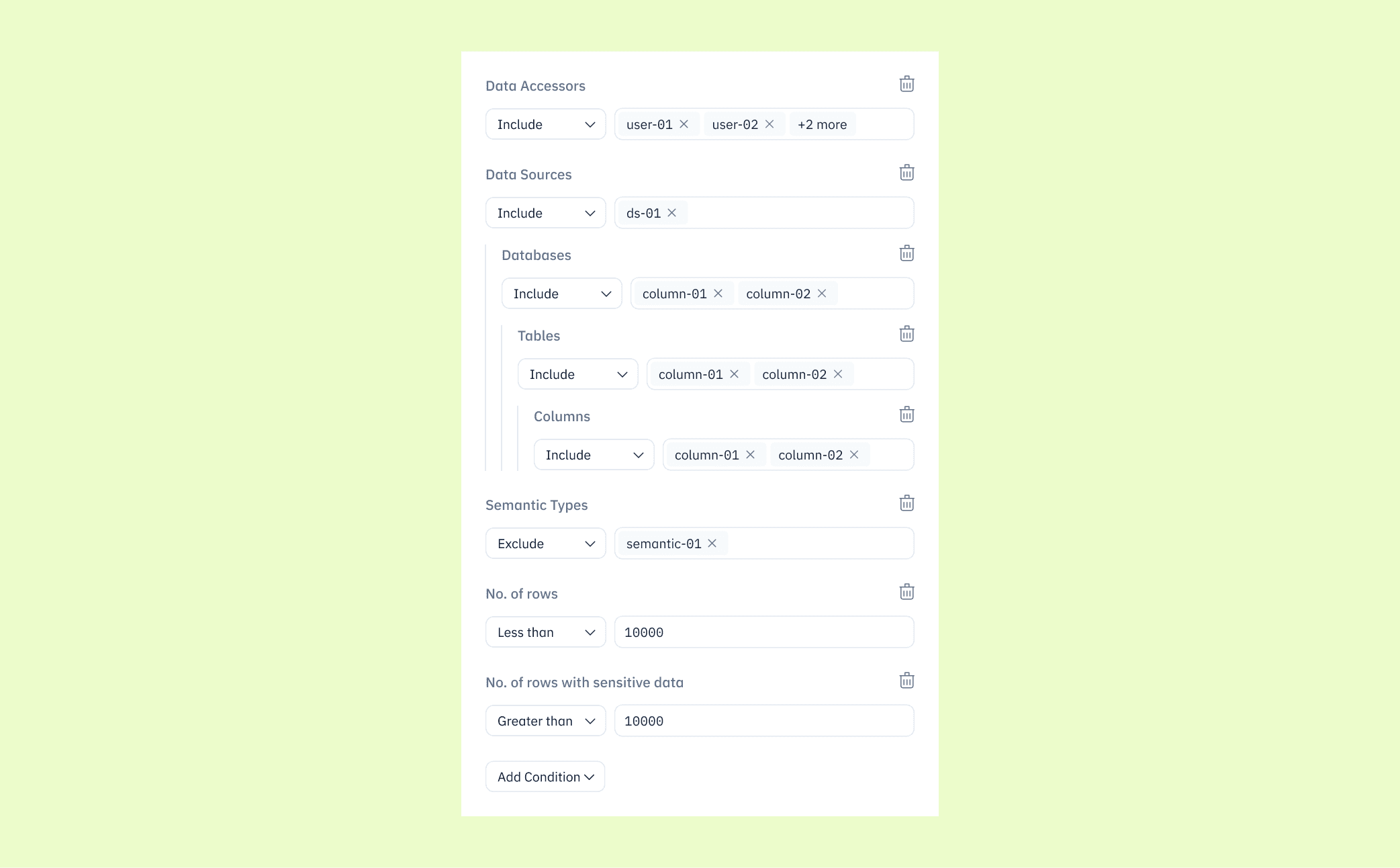
SEPARATING POLICY TYPE EARLY
The most debated call was whether to split Access Control and Alert & Monitoring or unify them. I pushed for the split for three reasons:
System impact differs: Access Control modifies the data stream in real time, Alert just observes.
Merging risks fat-finger errors that block production microservices.
Choosing type upfront filters available actions downstream and keeps the interface lean. Admins approach these tasks at different times anyway (compliance audits vs threat-hunting).
Visual Identity & Design System
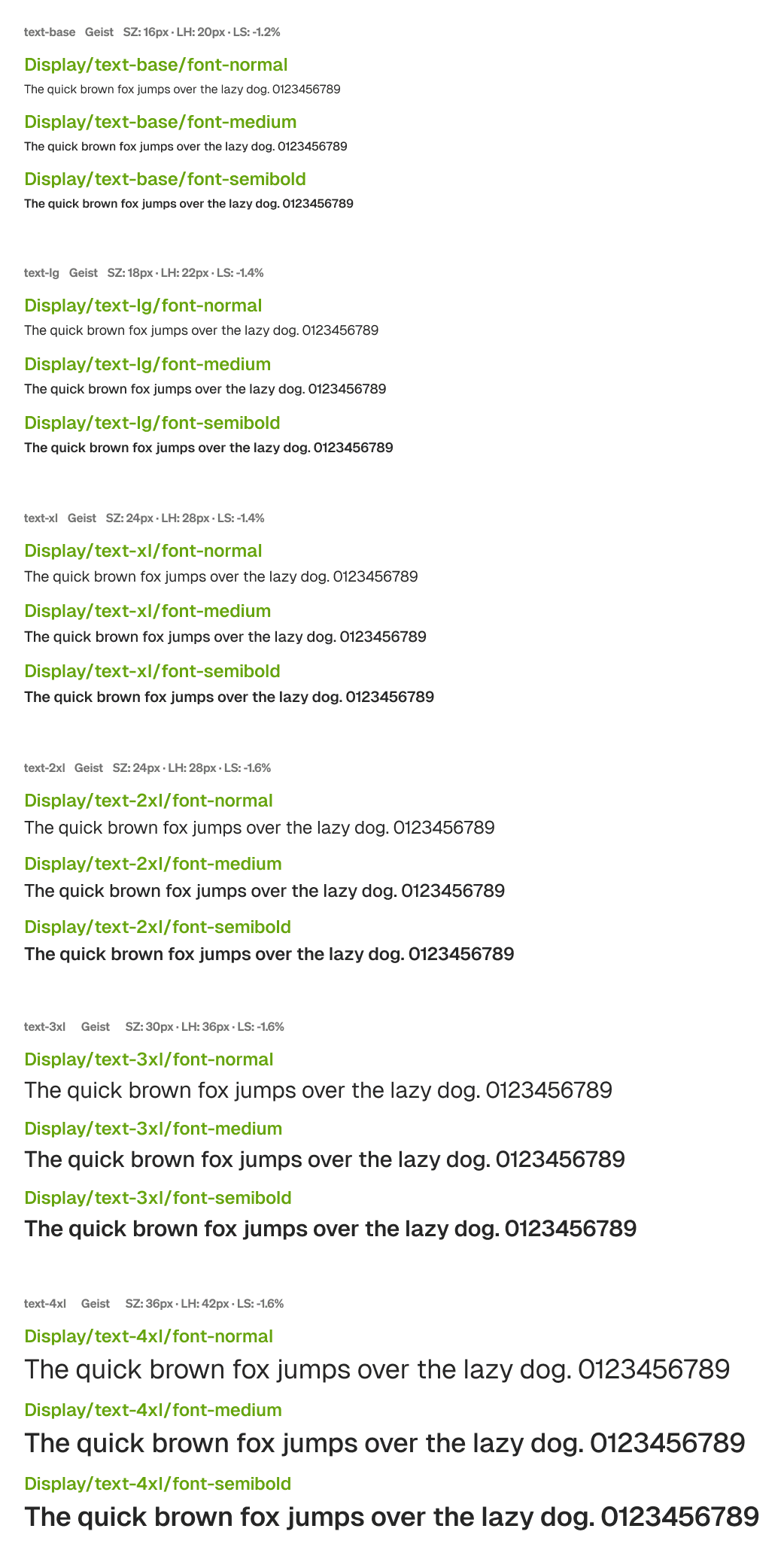
Aurva's existing pages used a loosely defined visual language — inconsistent spacing, mixed component patterns, no documented interaction guidelines. The Policies feature became the opportunity to establish a cohesive design system.
DENSITY WITHOUT CLUTTER
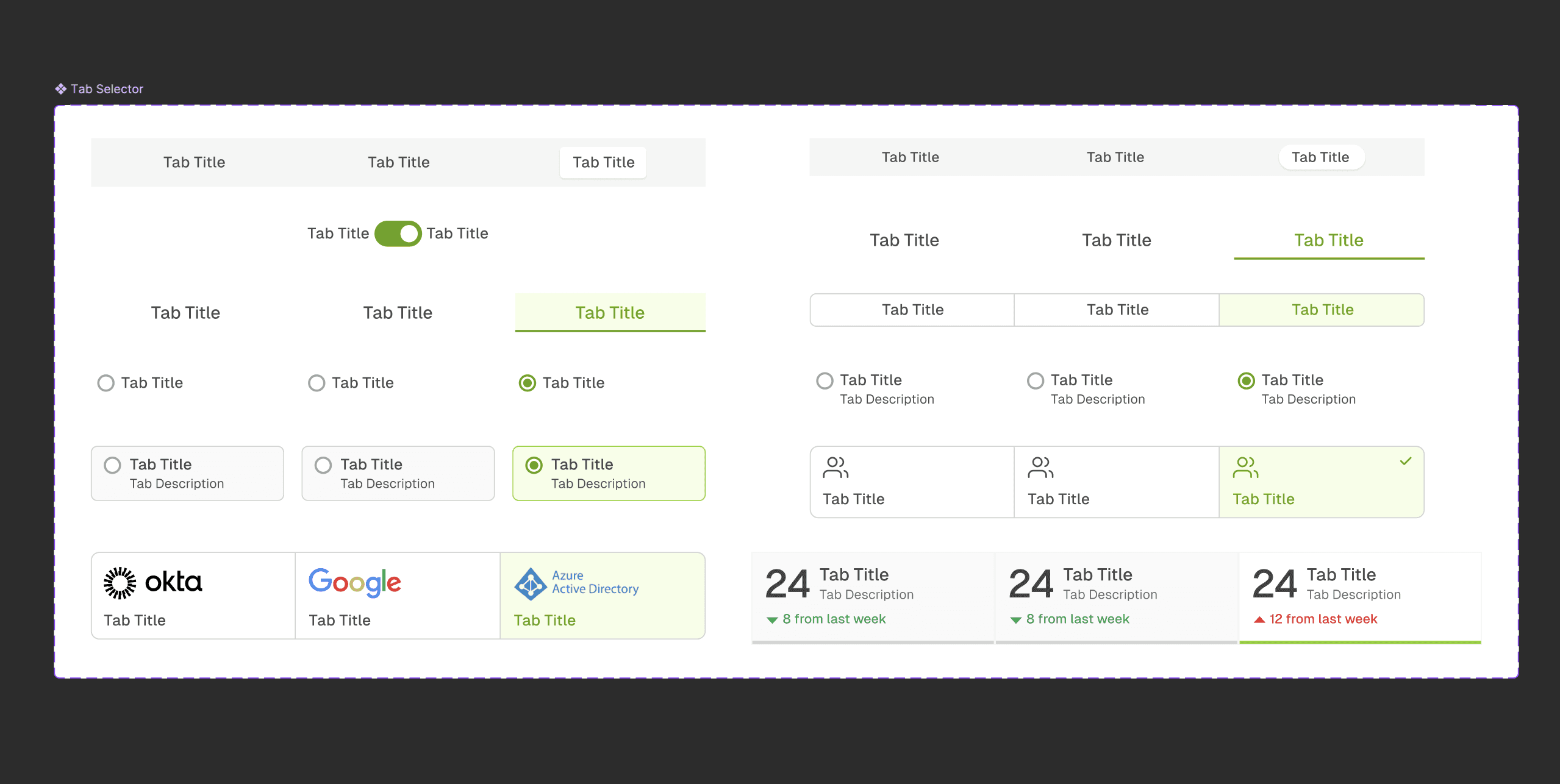
Security screens carry a lot of information. I used containment and whitespace for hierarchy instead of borders and shadows. Multi-select tags stay compact even with seven values inside a block. Density without the visual noise that breeds misclicks.
COLOUR AS FUNCTION
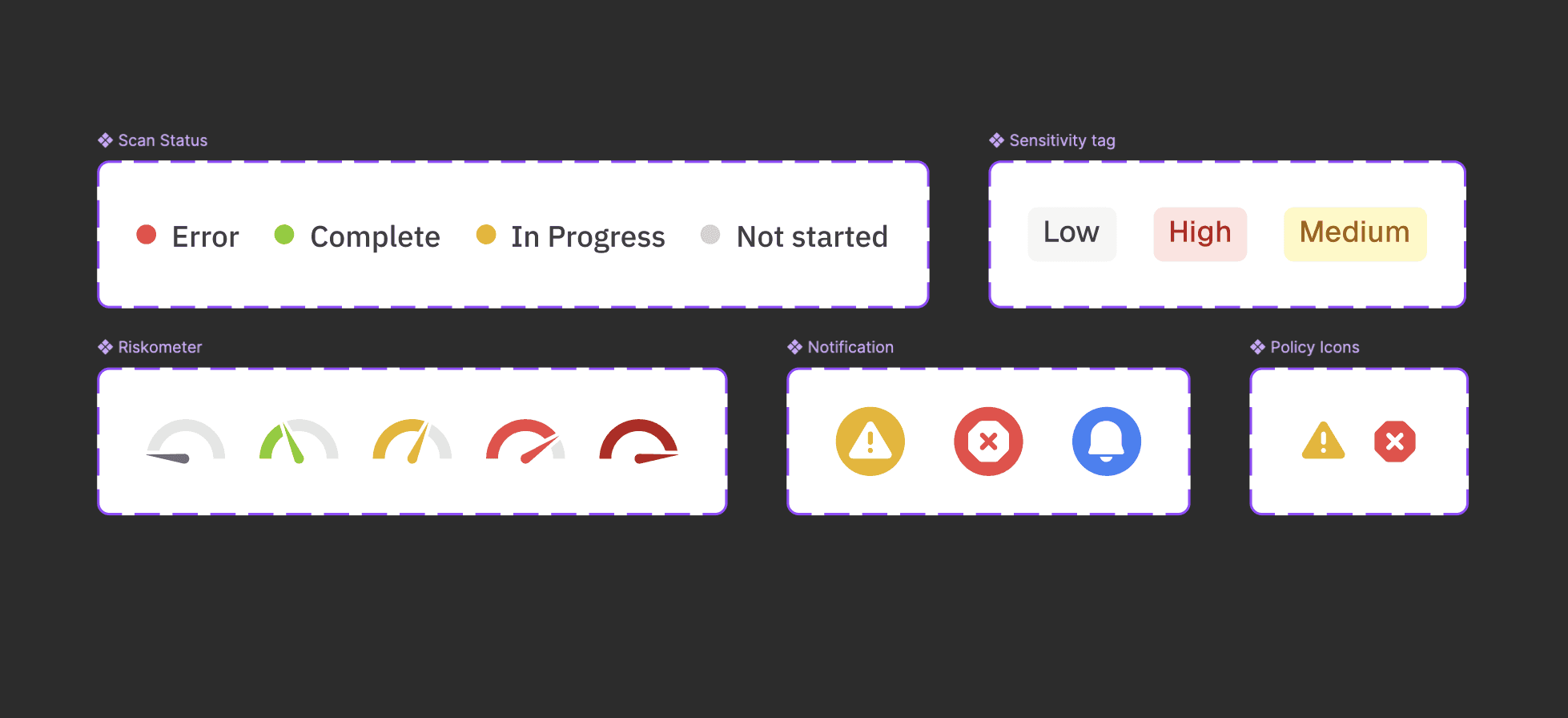
The palette serves meaning, not decoration. Aurva's blue is reserved for interactive elements only. Green for granted access, amber for pending, red for expiring or errored. Status reads the same way on every screen. WCAG AA contrast across the lot.
3. REUSABLE COMPONENT PATTERNS
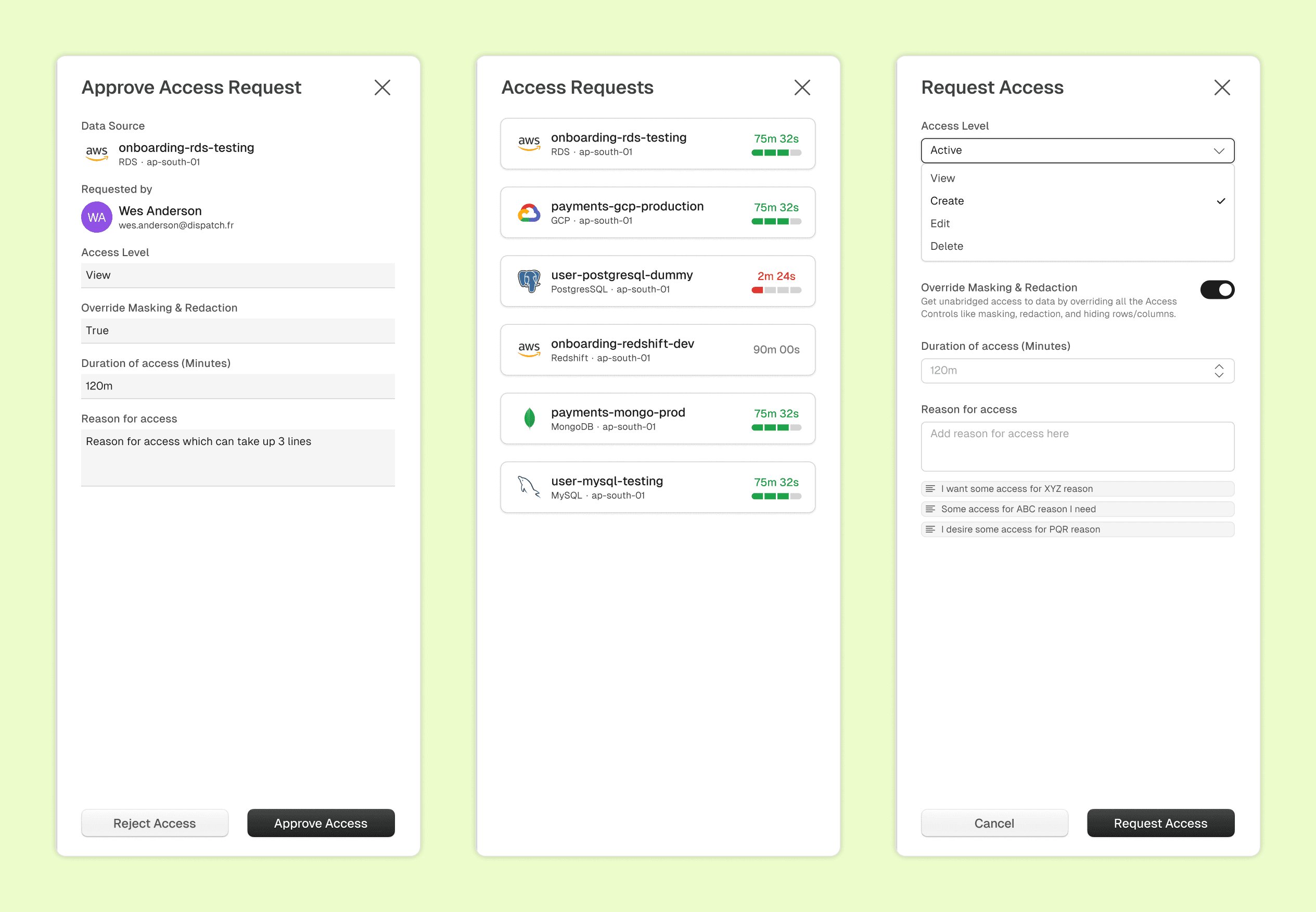
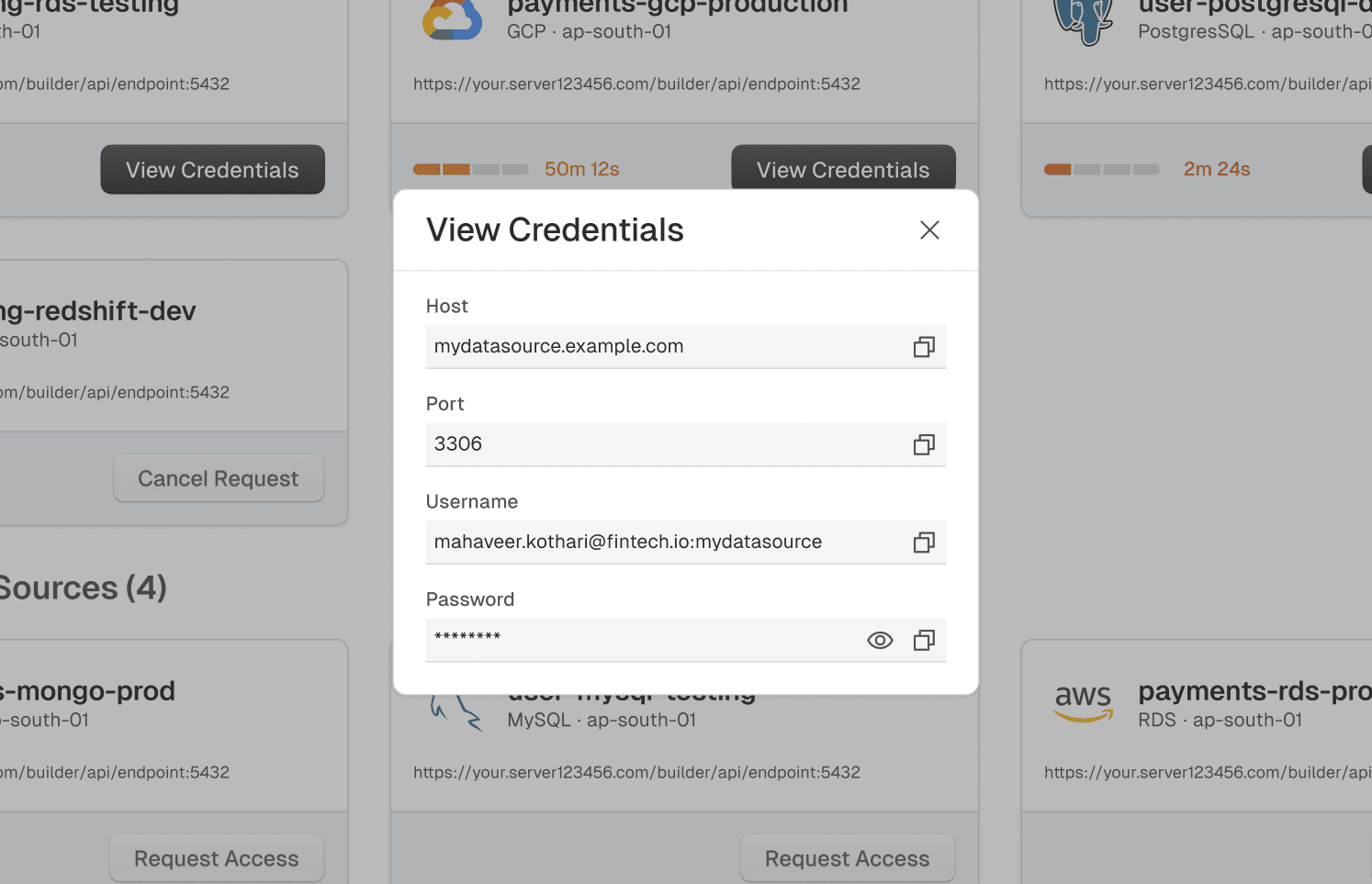
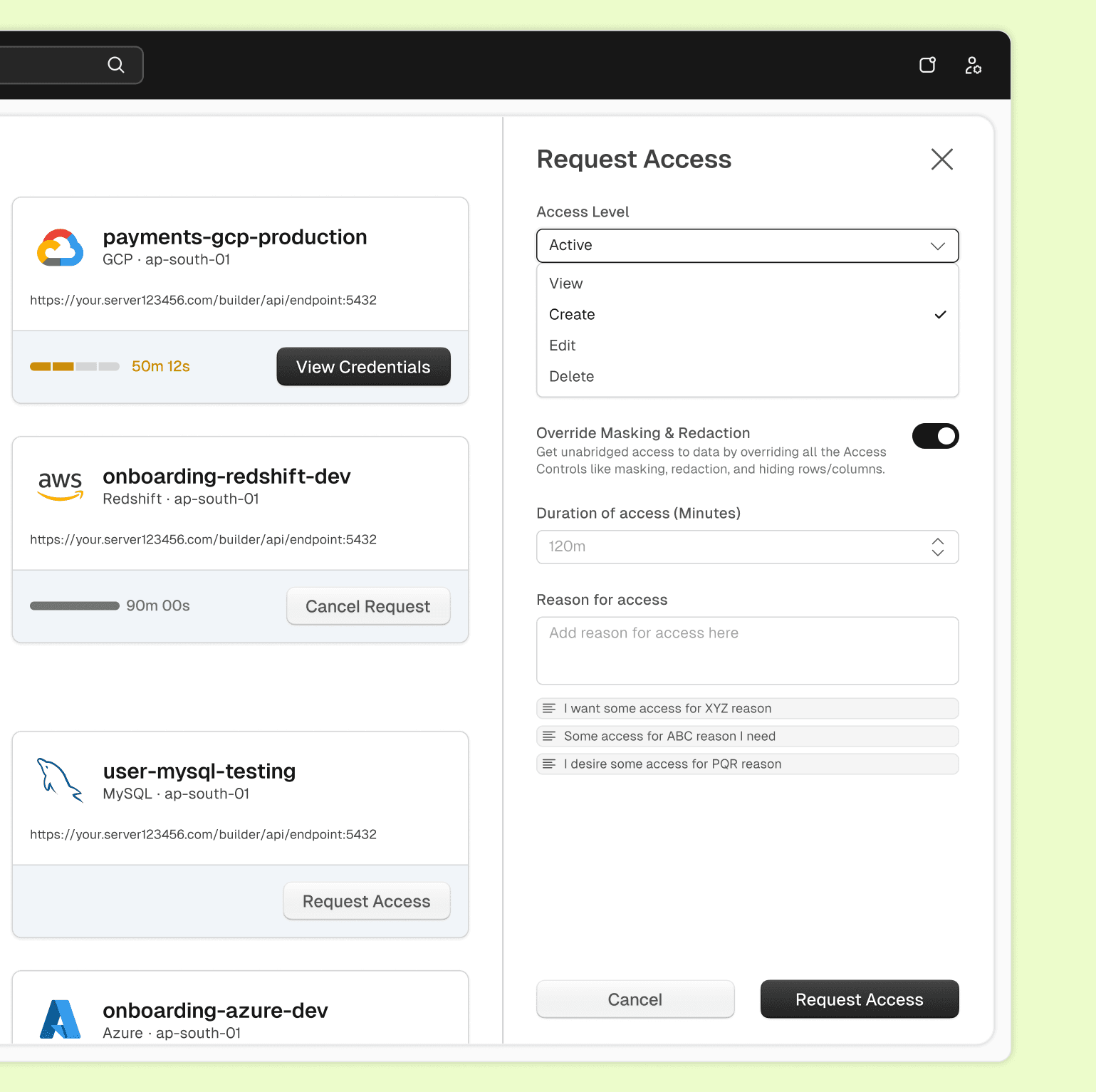
The side-panel handles every contextual detail: Request Access, Approve Access, View Credentials. Slides in, never breaks the list. The data-source card and the wizard stepper extend to future policy types without a redesign. Every component documented with interaction specs for engineering.
Selected UX/UI Improvements
THE "NATURAL LANGUAGE" RULE BUILDER
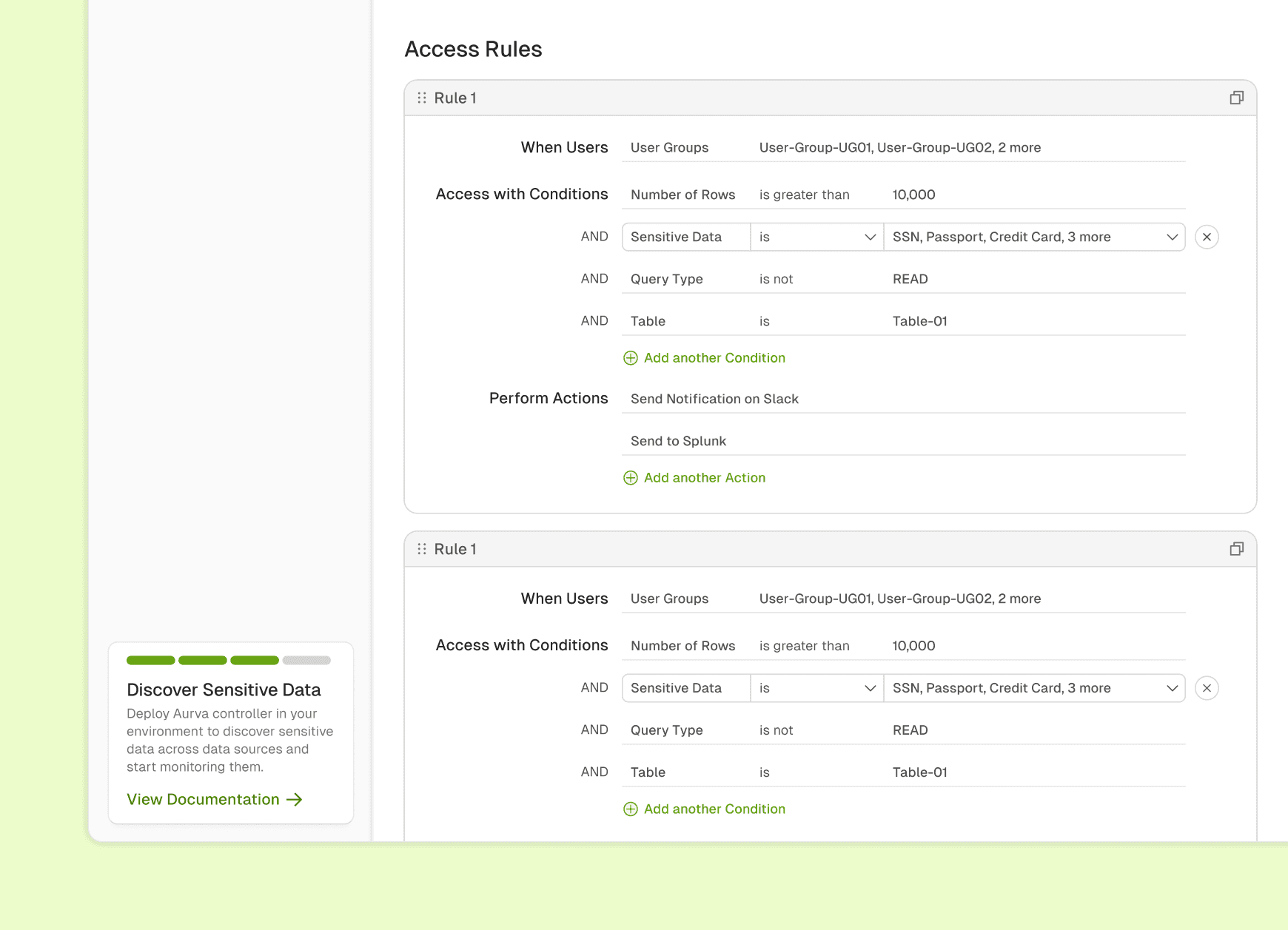
The challenge in Step 2 was representing Boolean logic without overwhelming the admin. I built the rule around a When... AND... THEN... structure, laid out as vertical blocks instead of a horizontal sentence.
A horizontal "If User X accesses Table Y then Alert Z" works for one condition. It collapses when you stack four user groups, three sensitivity levels and two response actions.
The vertical layout fixes three things. Nested conditions stay inside the right edge. Multi-select tags stack instead of pushing actions off-screen. Trigger versus response separation becomes scannable.
FROM "BLACK BOX" TO SELF-SERVICE PORTAL
The Database Access Portal is the developer-facing mirror of the admin's policies. Built so security feels tangible and bounded, not opaque.
The countdown timer ("75m 32s") was the anchor. It tells the developer access is ephemeral and removes the anxiety of not knowing when it expires. Colour shifts from green to red as time runs low.
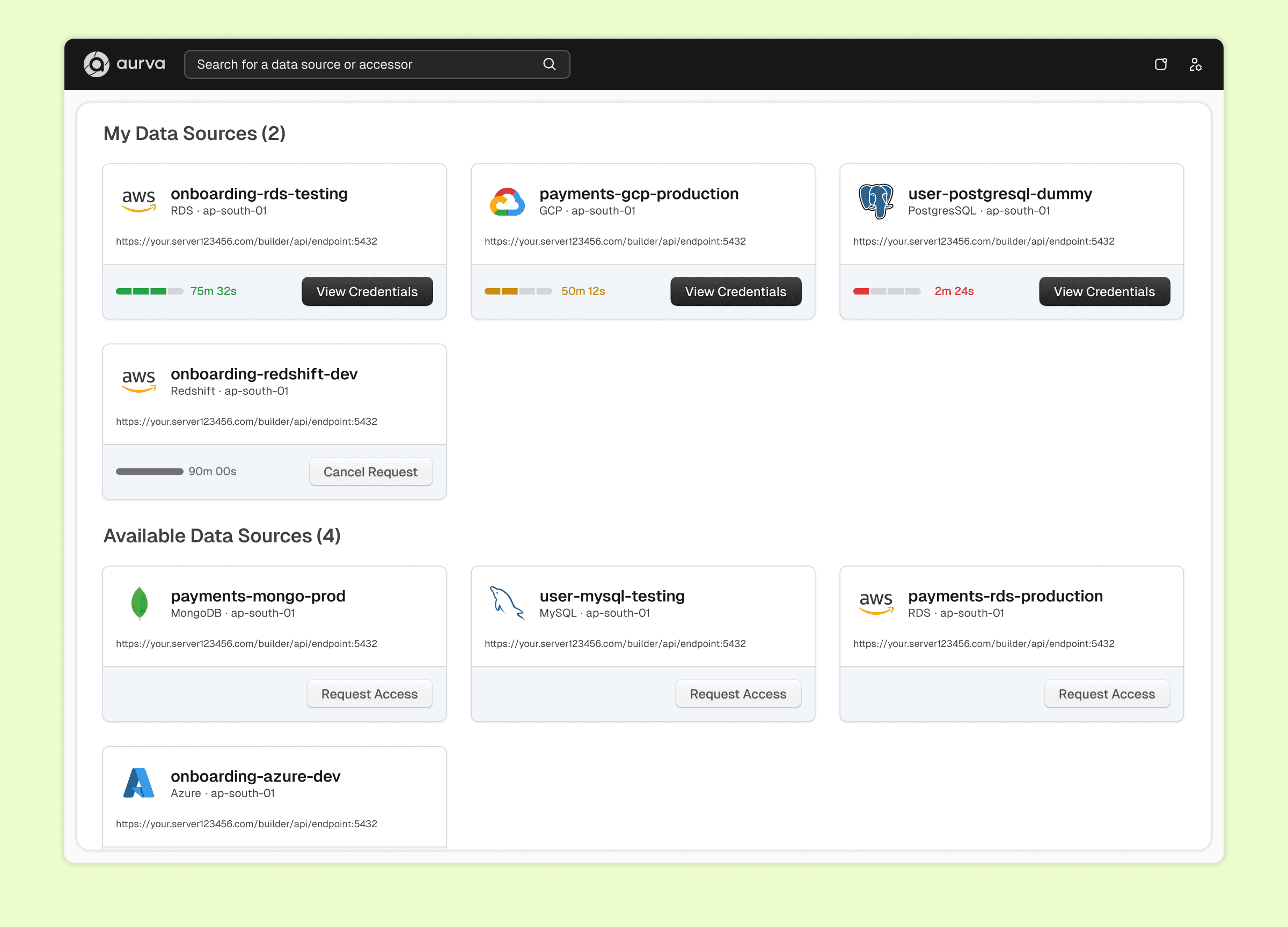
I split "My Data Sources" (View Credentials) from "Available Data Sources" (Request Access). Database icons and region labels let developers distinguish prod from dev at a glance.
THE "BREAK-GLASS" OVERRIDE
This came from a Lead DevOps Engineer interview: "When production is on fire at 2 AM, I don't need XXX-XX-1234. I need the raw data." Without a real way to see unmasked data fast, engineers keep admin passwords saved on their phones.
Override is one toggle on the access request. Easy to find. Hard to flip by accident. Turn it on and the "Reason for access" field becomes mandatory. No reason, no request. Every override is recorded.
On the admin's side, the override flag sits at the top of the approval modal in red. They see what was asked and why. When time runs out, masking turns back on automatically.
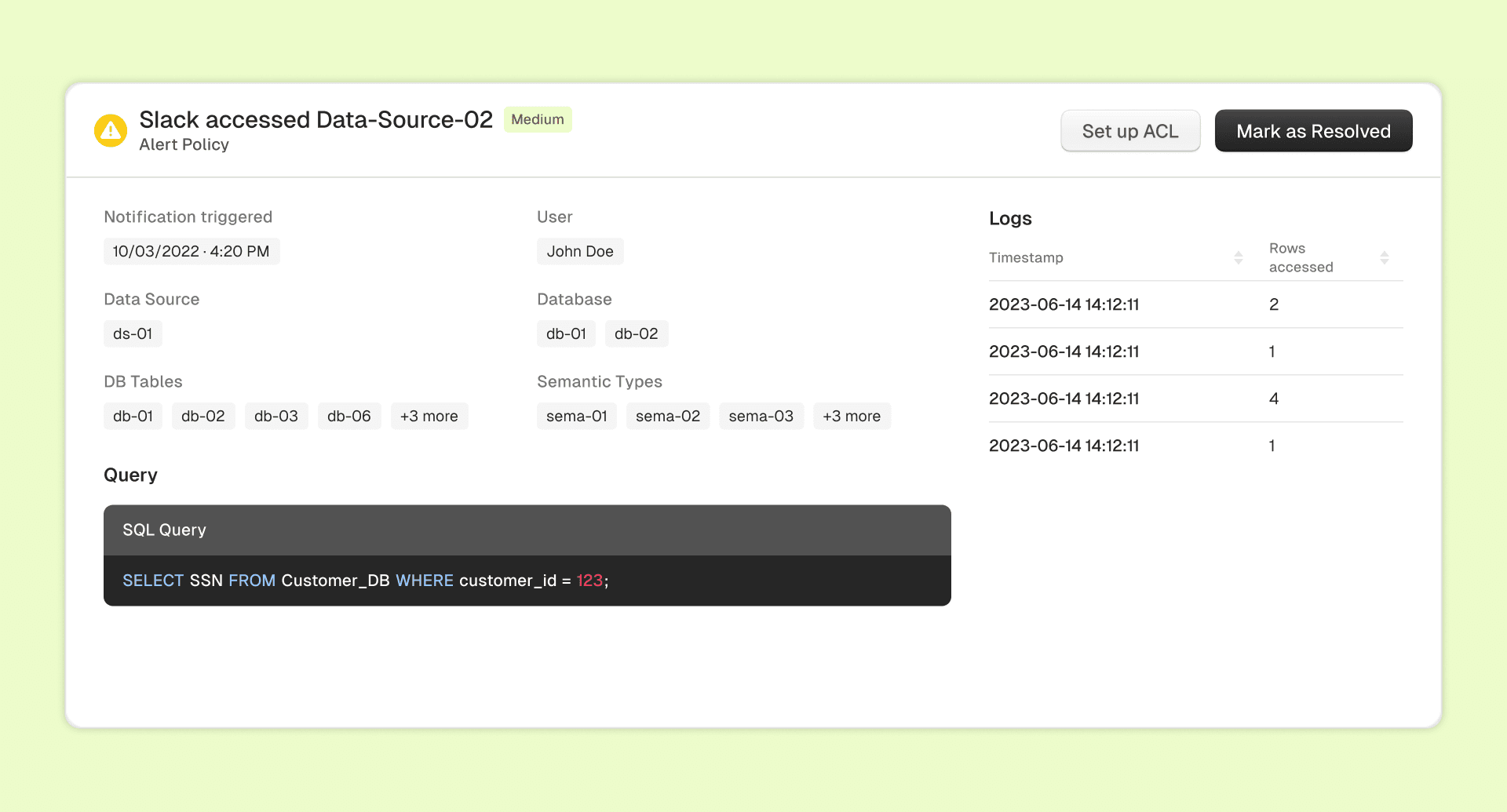
CONTEXTUAL FORENSICS FOR INCIDENT RESPONSE
The Incident page moves an admin from "something happened" to "here's why" fast. Rows accessed is a quick risk proxy. Semantic Types show what kind of data was touched. The raw SQL block is definitive context. A targeted WHERE clause reads differently from SELECT *.
A "Set up ACL" button lets the admin go from observation to control without leaving the page.
Design Validation & Feedback
Two rounds of prototype testing with admins and developers. Round one validated the two-step wizard against the single-page alternative. Data-source-first was universally preferred (7 of 7 admins). Round two confirmed admins could read back multi-condition policies and predict which actions would fire (~90% accuracy on first try).
One CISO worried Override would be overused. That feedback added the mandatory "Reason for access" field and the admin-facing override flag, turning a potential security hole into an auditable workflow.
Summary
The policy-creation wizard eliminates CLI configuration. The Database Access Portal eliminates Slack password sharing. The break-glass override eliminates shadow admin credentials. One auditable system replaces three workarounds.
80%
Policy creation time reduced by
~90%
First-time policy creation accuracy
1000+
Databases monitored across 10 clients
<10 min
Approval time reduced from 4 hours to
Mahaveer took our most technically dense feature and made it feel effortless. The policy builder and access portal he designed eliminated password-sharing entirely and cut approval times from days to minutes. His instinct for balancing security rigour with usability is rare. He thinks like an engineer but designs for humans.
Shubham Ojha
Senior Software Engineer, Aurva