Site Inspector: Designing property verification tools for civil site inspectors
<8 hrs
Report turnaround time
~40%
Reduction in average inspection time
1600+
Cases completed via app
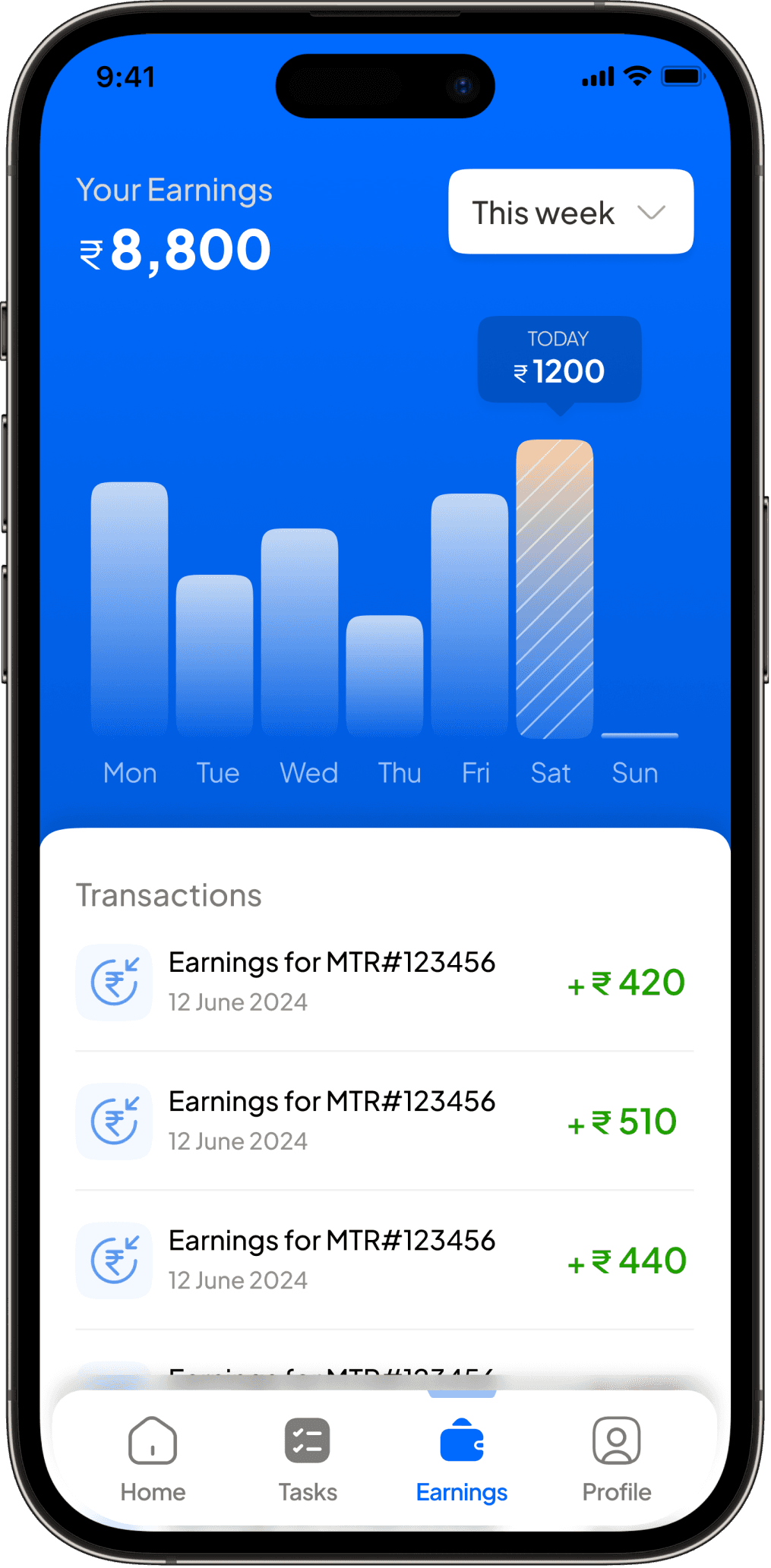
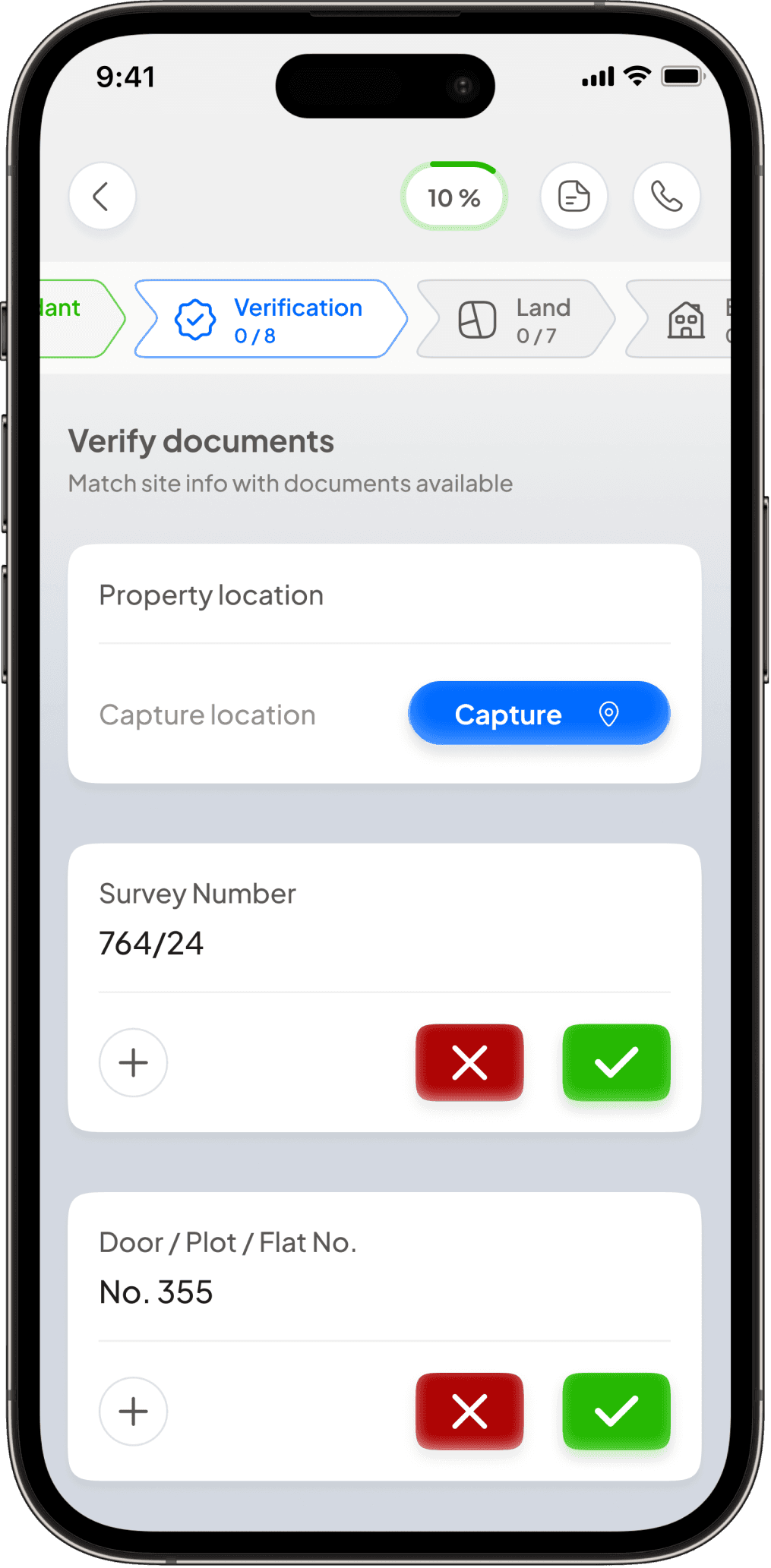
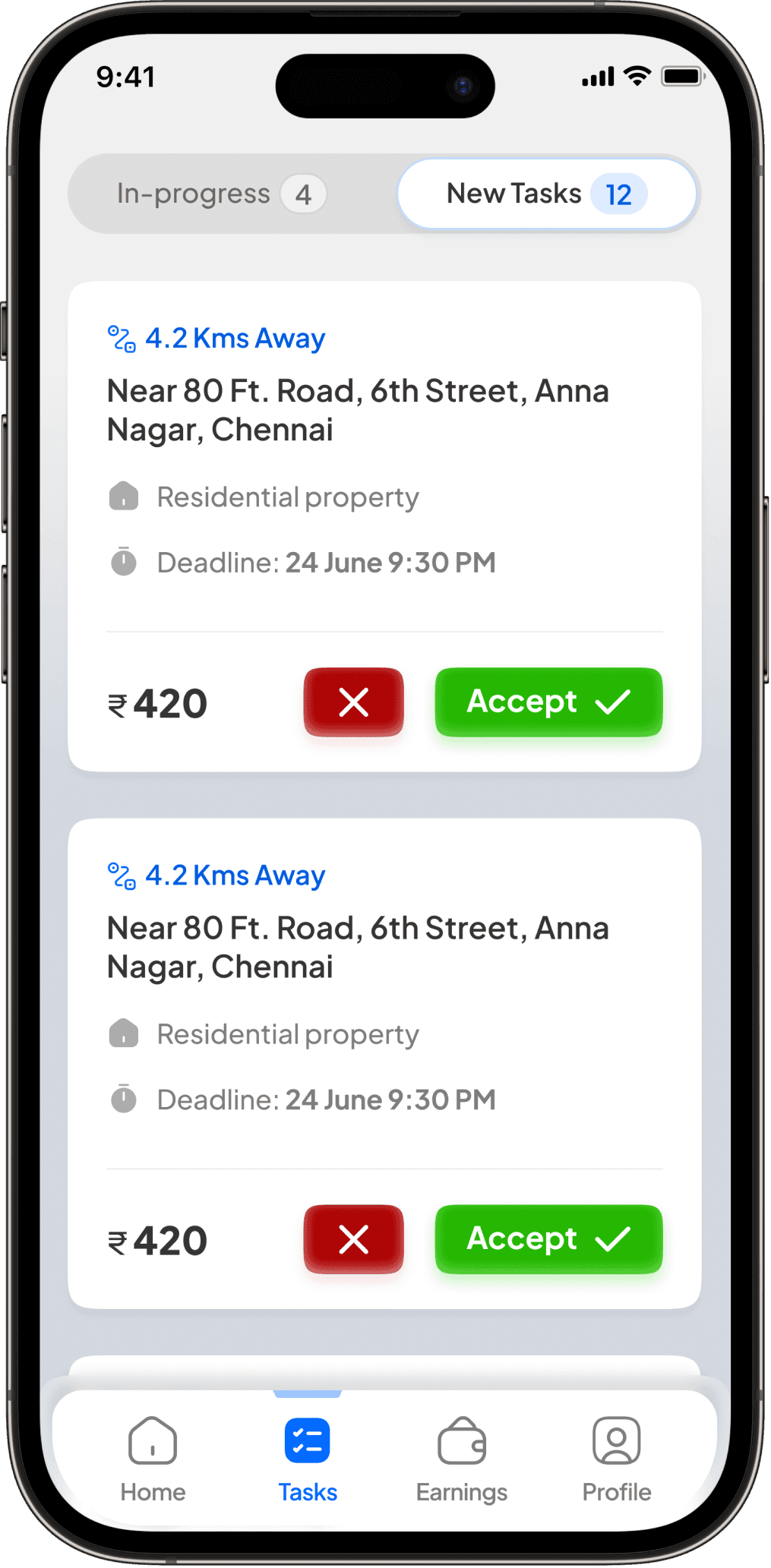
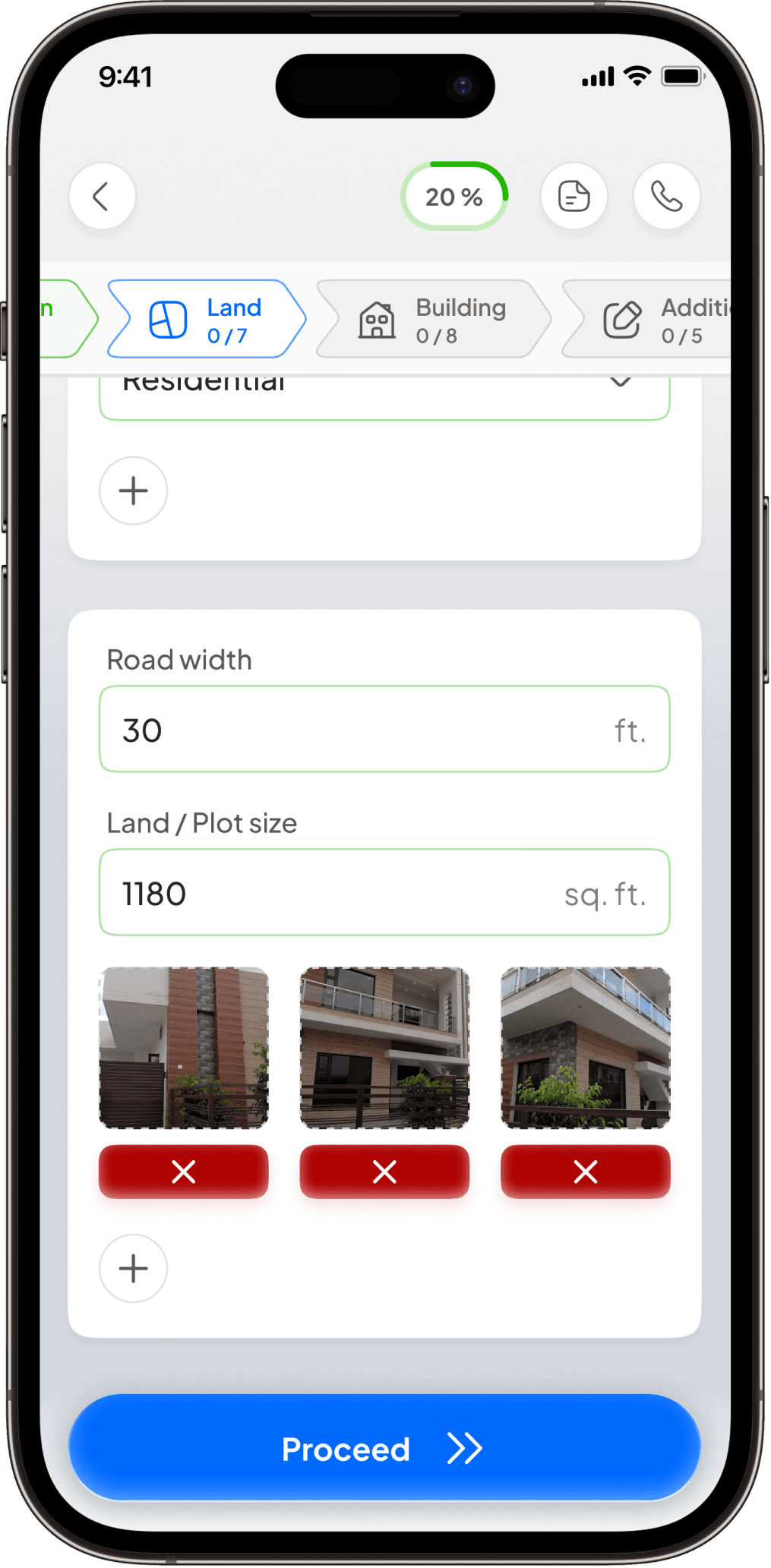
Products
Mobile Web App
Team
Sr. Product Designer (Me)
Head of Design
Product Lead/CEO
My Role
Led end-to-end design for the Site Inspector App: research, IA, interaction design, visual design, design systems, pilot testing.
Company
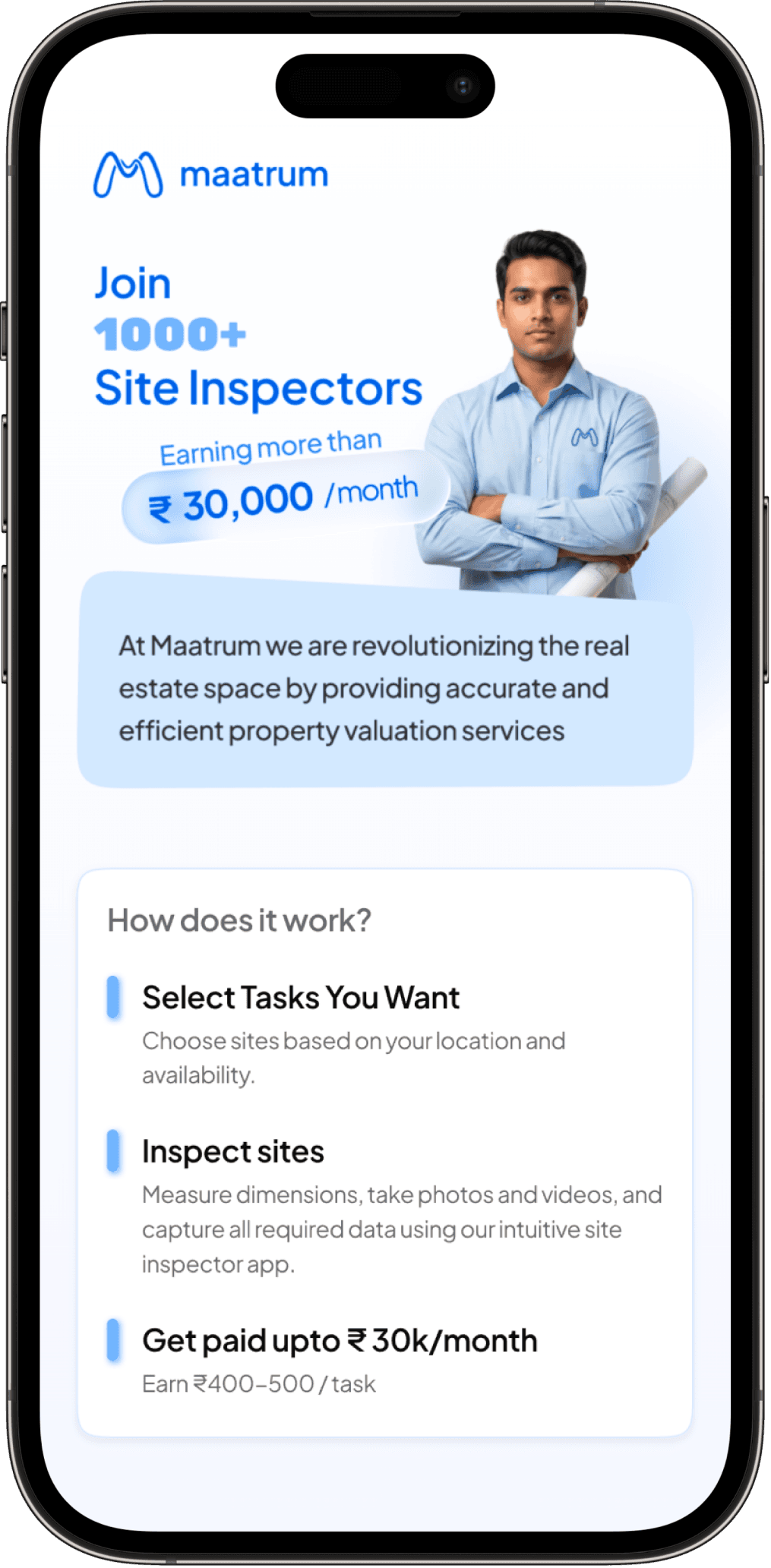
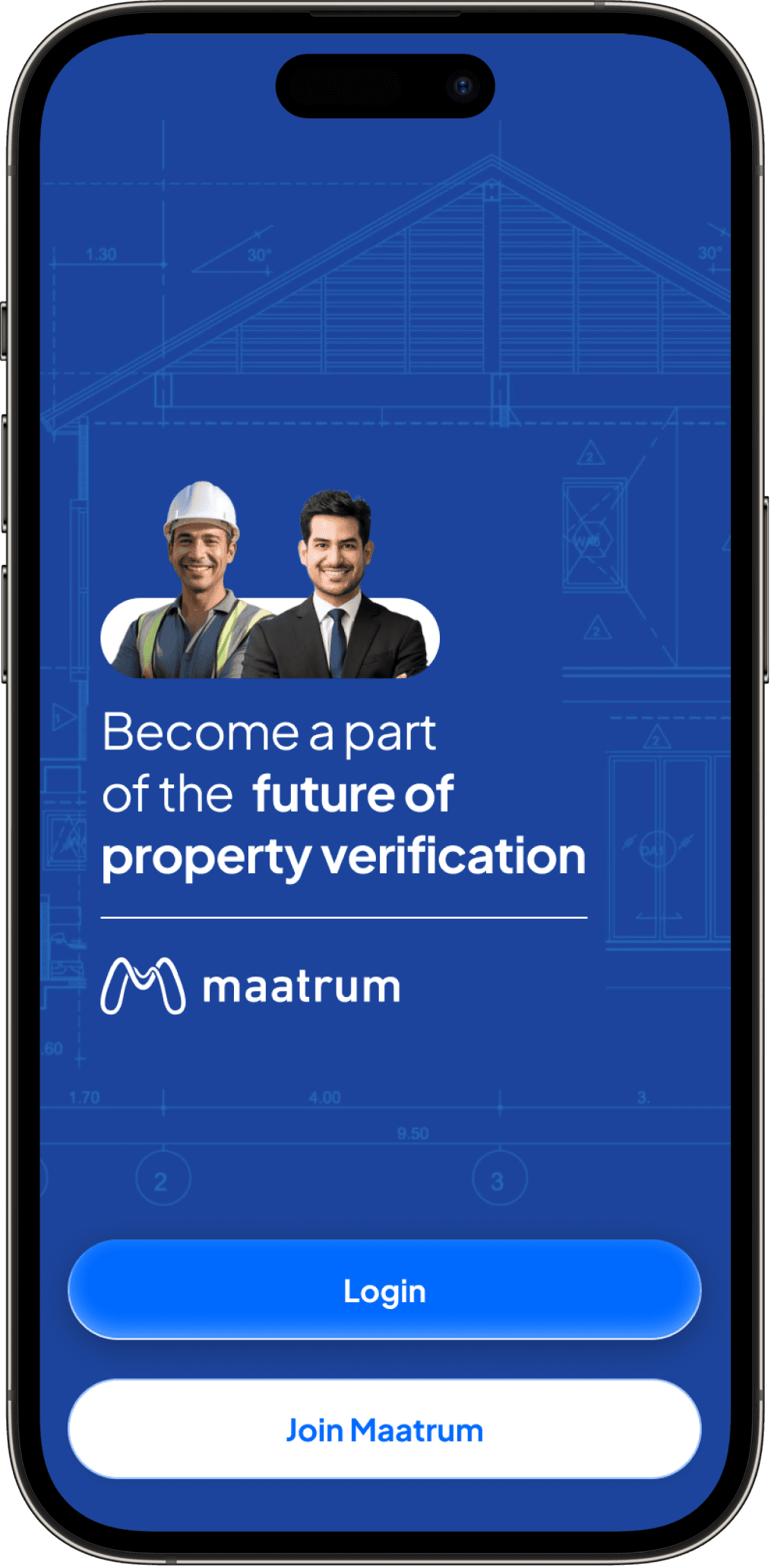
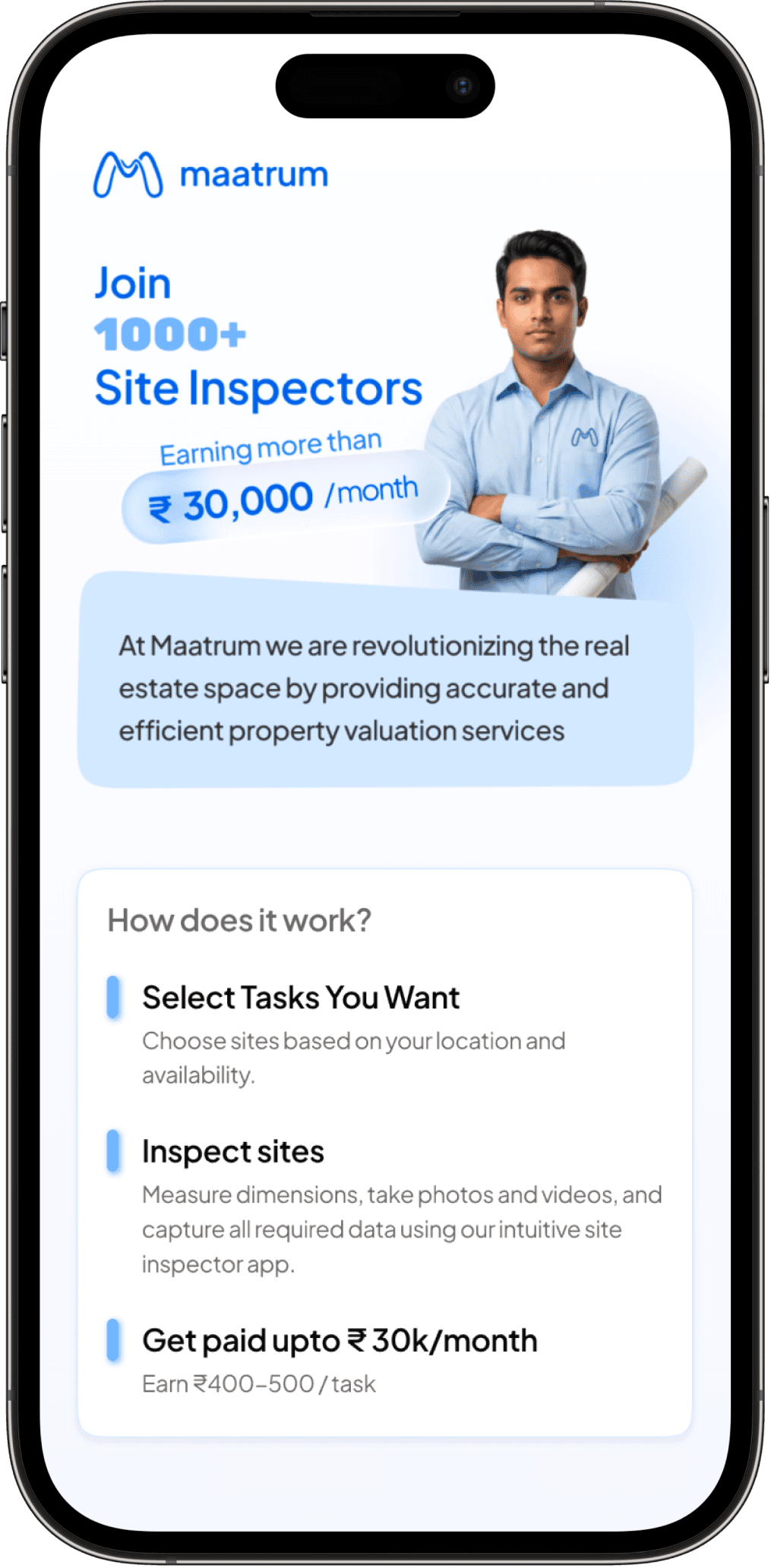
Maatrum is an India-based legal verification and property valuation provider for banks and NBFCs. Their civil site inspectors visit properties across the country to collect the data that becomes a legally binding valuation report for mortgage approvals.
Product
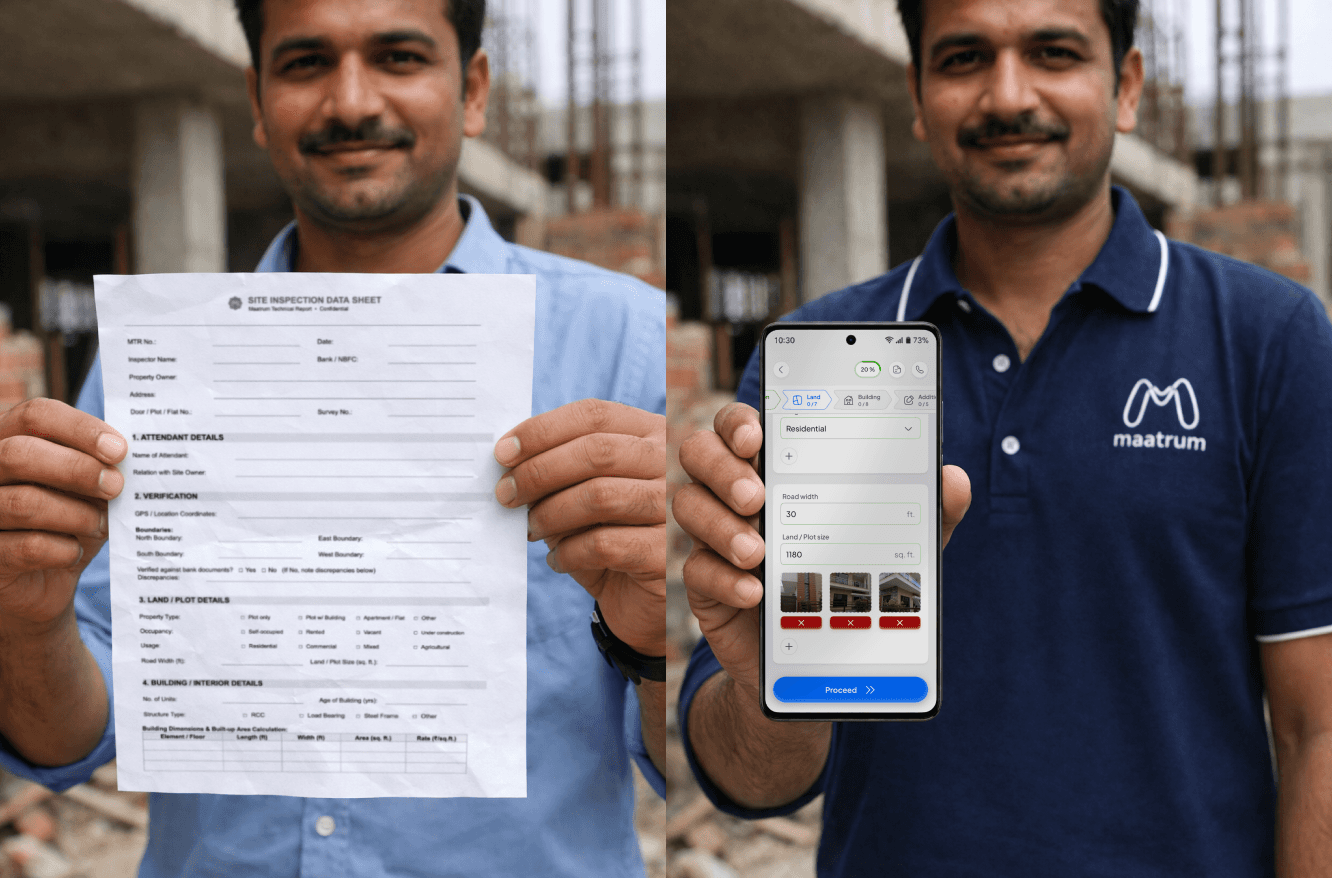
The Site Inspection App is a mobile web app inspectors use on-site. They capture OTP-verified attendant details, photos, GPS, boundaries and measurements that feed an automated valuation report.
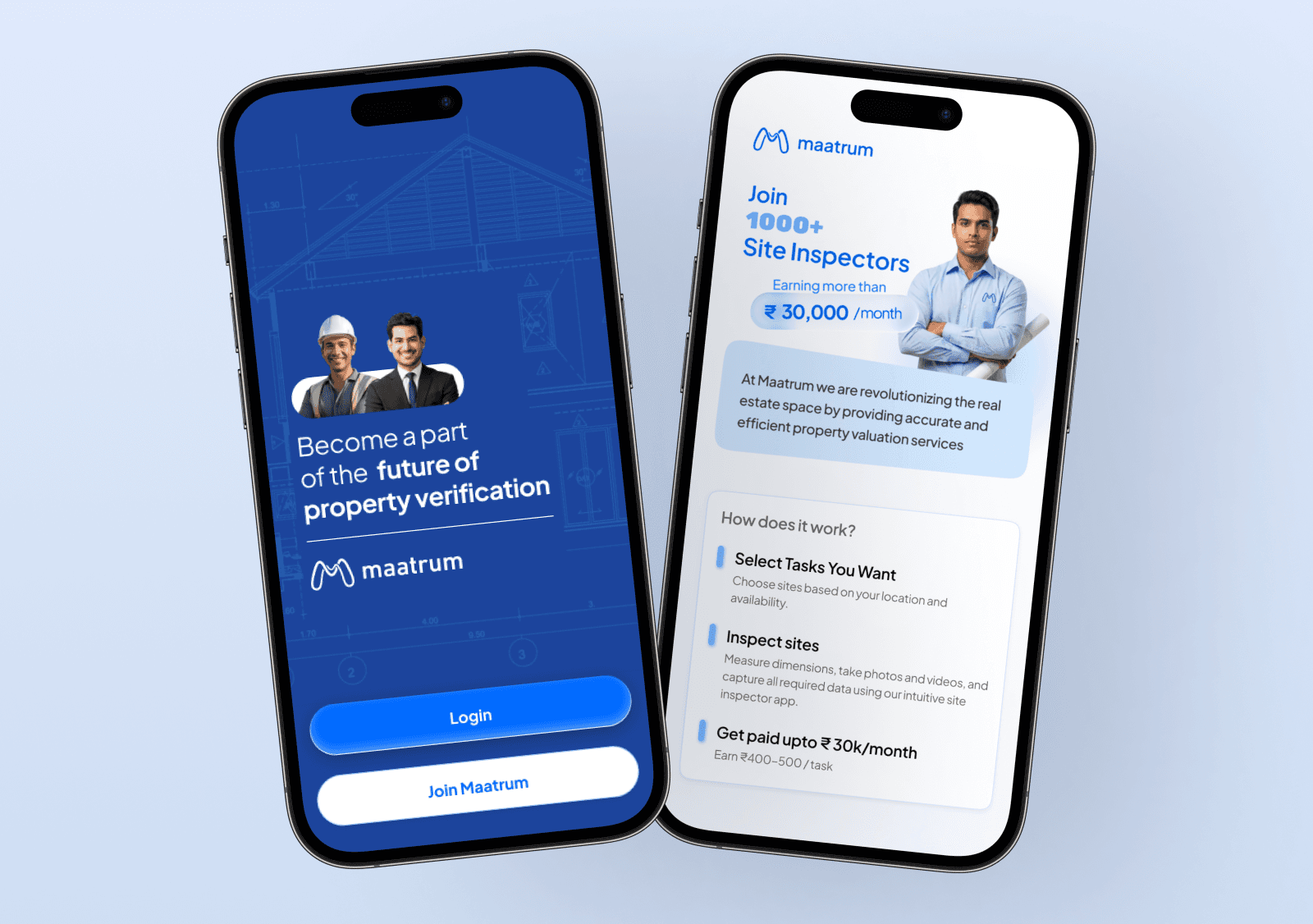
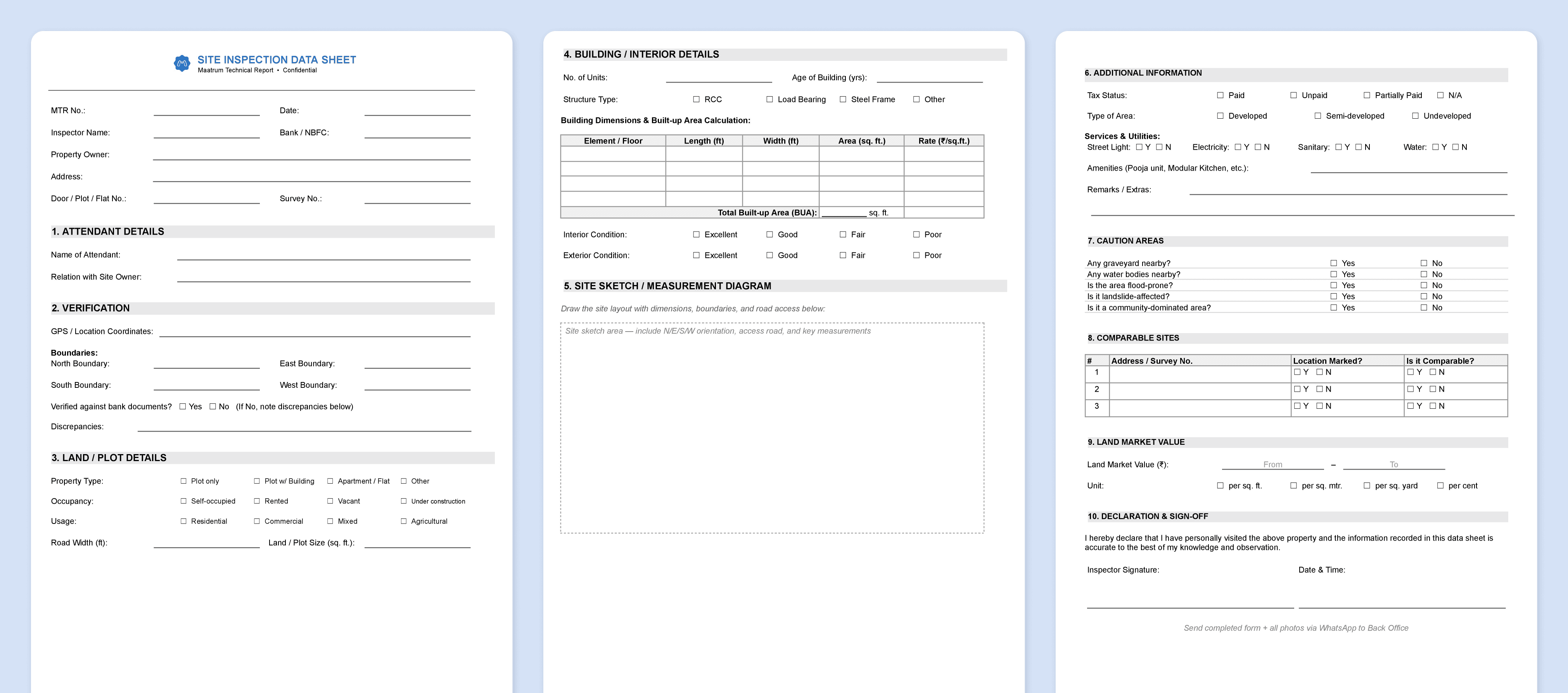
It replaces a fully manual workflow. Inspectors filled a printed A4 sheet by hand, photographed it, sent everything via WhatsApp. A separate back-office team re-entered every field into a web portal.
Business Requirements & Constraints
Business Objectives
Eliminate pen-and-paper plus the redundant re-entry step
Use GPS, OTP and mandatory photos to prevent fraudulent "desk-side" inspections
Map every digital field precisely to its location in the legal report
Design for outdoor one-handed use under bright sun on unreliable networks
Key Constraints
Mobile web only.
No native sync, push or true offline. Browser chrome eats 15-20% of screenInspector tech literacy varies widely.
From WhatsApp-only users to power usersConnectivity is unpredictable.
Full 4G on the road, zero signal at the gate
CHALLENGES
Take a 50-field A4 sheet and turn it into something an inspector can complete one-handed, in the sun, on patchy internet, without losing data or trust.
The paper sheet had no order. Inspectors filled fields in any sequence and skipped what didn't apply
Inspectors didn't trust the app. Many did double-work in early pilots (paper plus app), fearing crashes
Field conditions were hostile. Sunlight washes screens, sweaty fingers mistap, users move while typing.
Regional unit diversity. Square feet, square yards and cents differ across states.
Research
With no formal lab access, I ran contextual field observation across the 6-week pilot. I shadowed inspectors on live visits, watching what they wrote first, what they skipped and how they spoke to property attendants.
Every conversation was around whether the data was saved. The dominant pain wasn't UI complexity. It was uncertainty about data safety.
Inspectors followed a fixed physical sequence: meet attendant, verify address, assess land, enter building, step back to neighbourhood. The paper sheet grouped by category, not by chronological order.
Mental math (BUA from length × width) and unit confusion drove most errors.
Photos were treated as proof, not documentation. Inspectors over-shot and dumped everything in WhatsApp unlabelled.
Data-saving anxiety dominated emotional feedback.
I mapped every paper field into three buckets: pre-fillable from bank records, verifiable in one tap or true free-text.
Design Approach: Mirroring the On-Site Journey
The most consequential design decision was to structure the app as a chronological narrative of the inspector's physical arrival and investigation, rather than as a digital replica of the paper form.
DIVIDING FIELDS INTO SEQUENTIAL STEPS
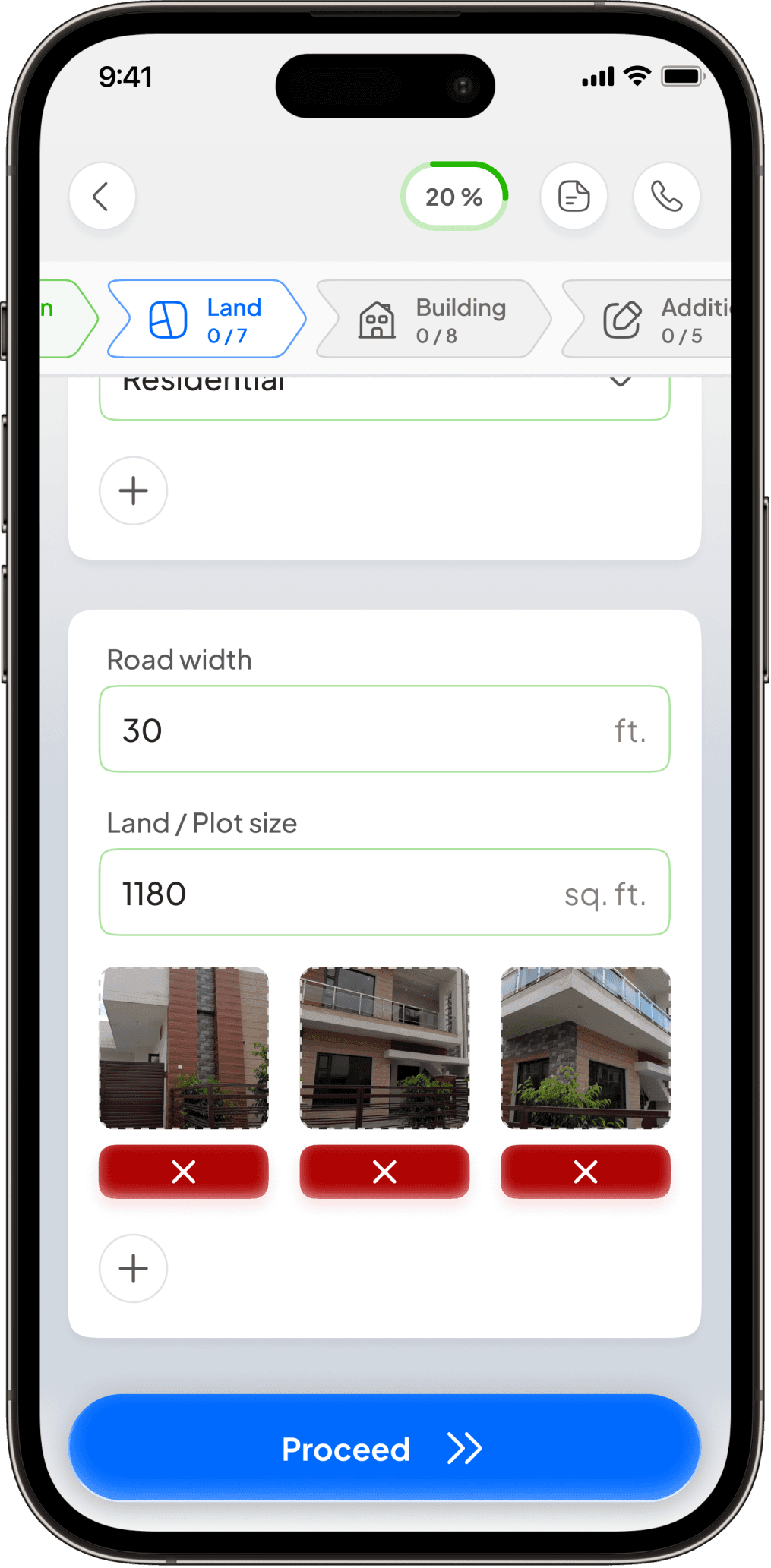
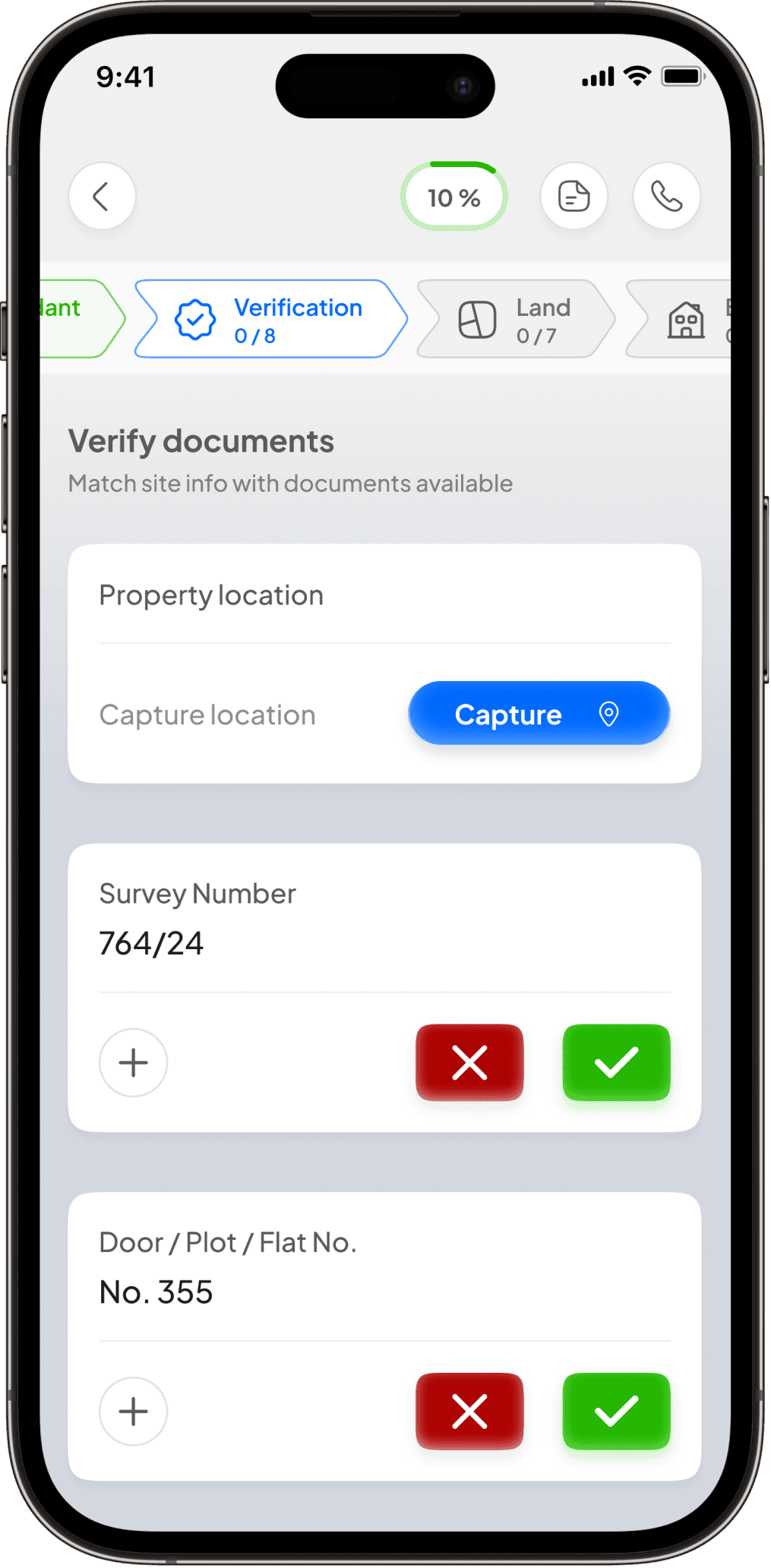
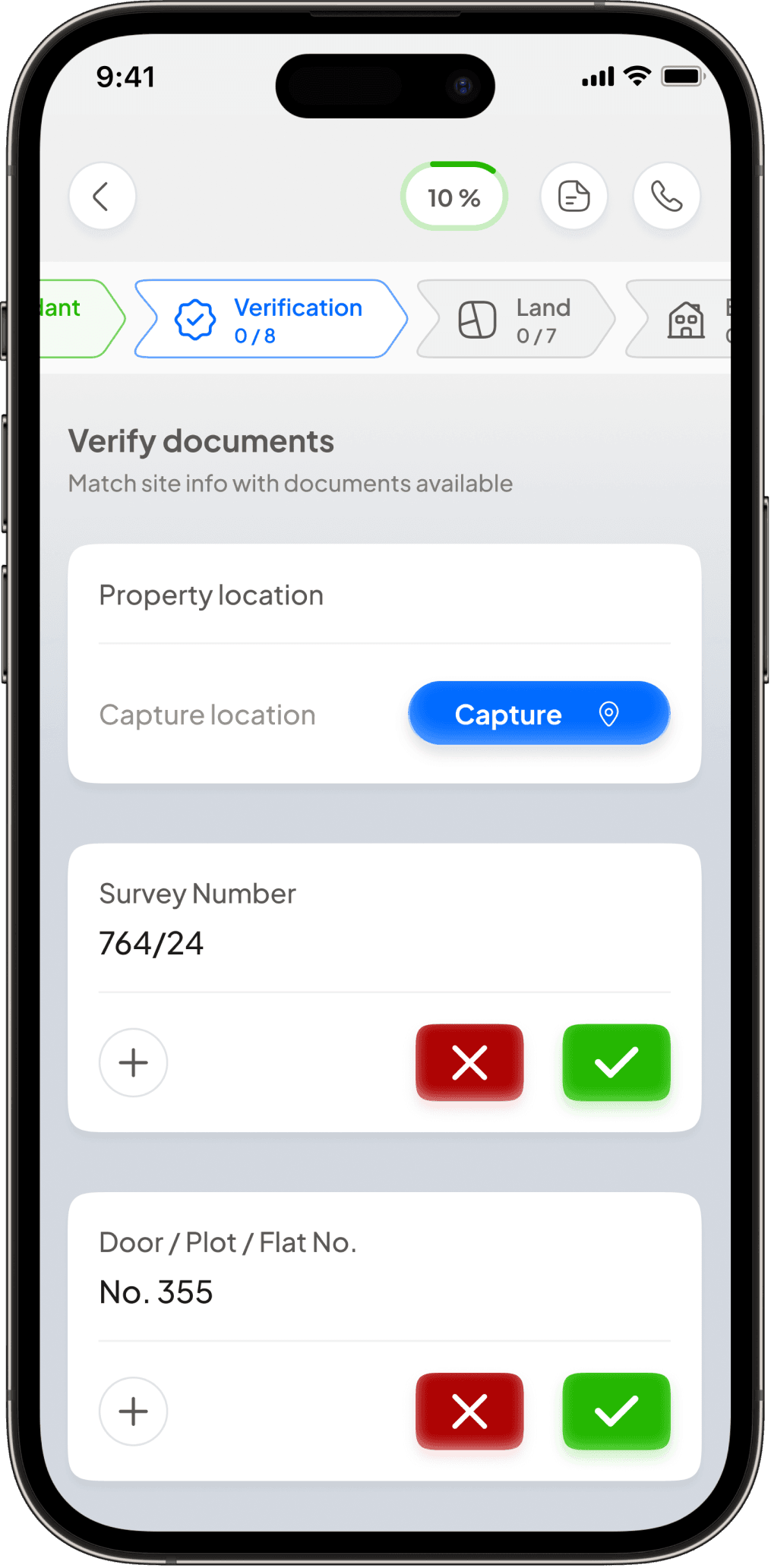
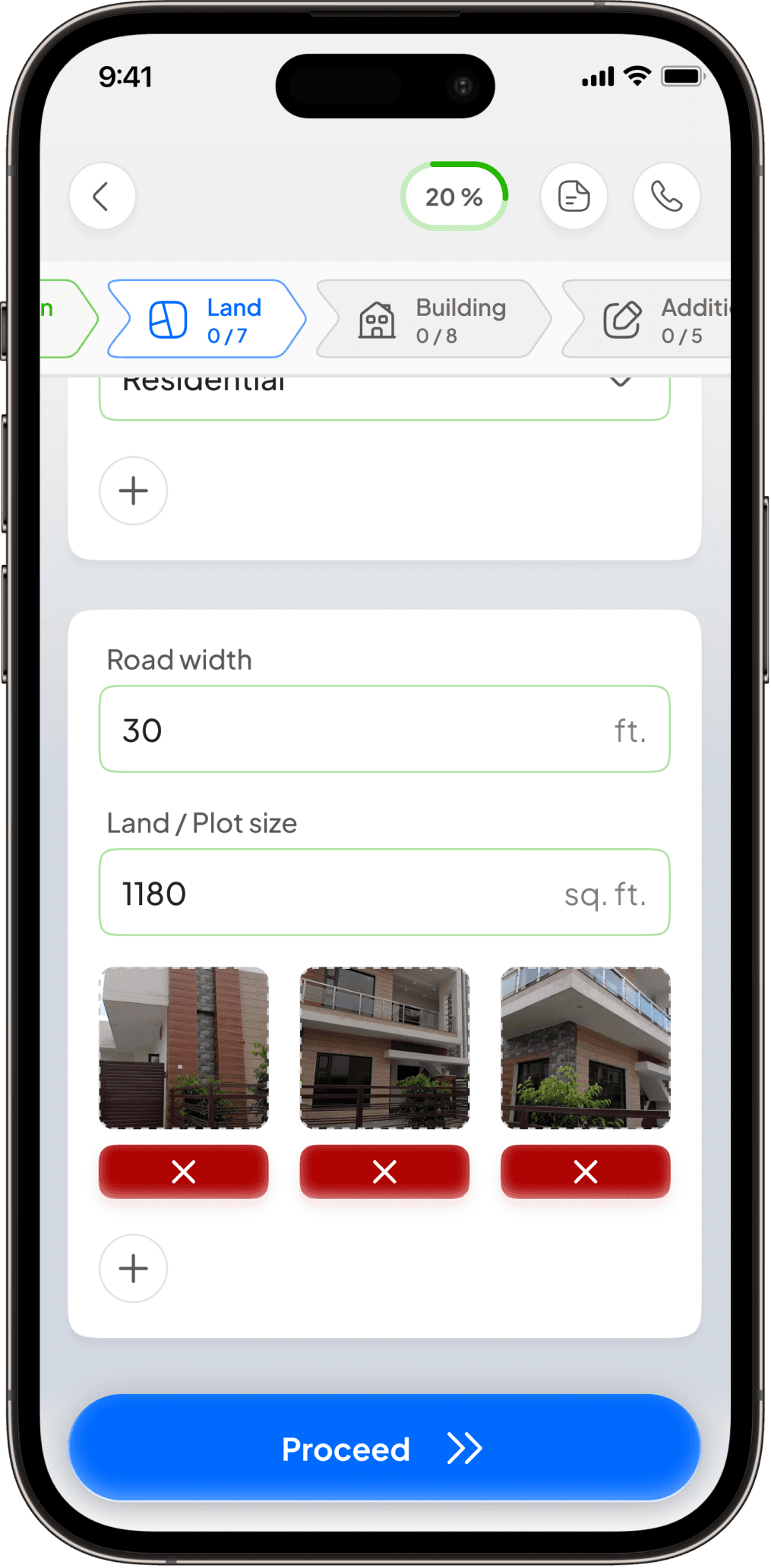
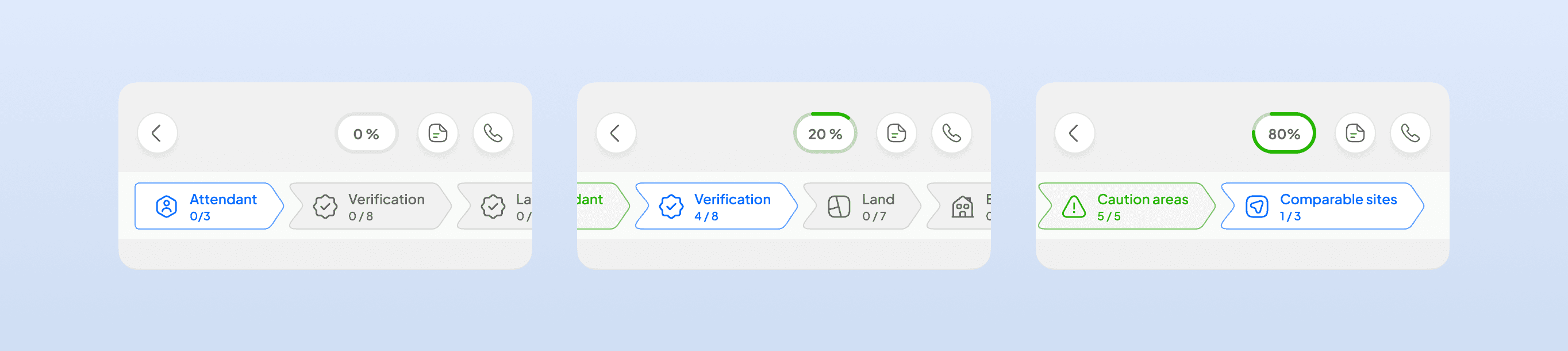
The most consequential decision was to stop replicating the paper form. I structured the app as a chronological narrative of the inspector's walk through the site. Eight steps tied to real moments of the visit: Attendant, Verification, Land, Building, Additional Info, Caution Areas, Comparable Properties, Valuation.
By the time the inspector reaches valuation, they've built a mental model of the property in the same order the app asked for data. The final estimate feels like a conclusion, not an arbitrary number.
A stepper at the top helps in showing only 3-5 fields in the screen, tied to the inspector's current physical location, instead of 50 empty fields at once.
Visual Identity & Design System
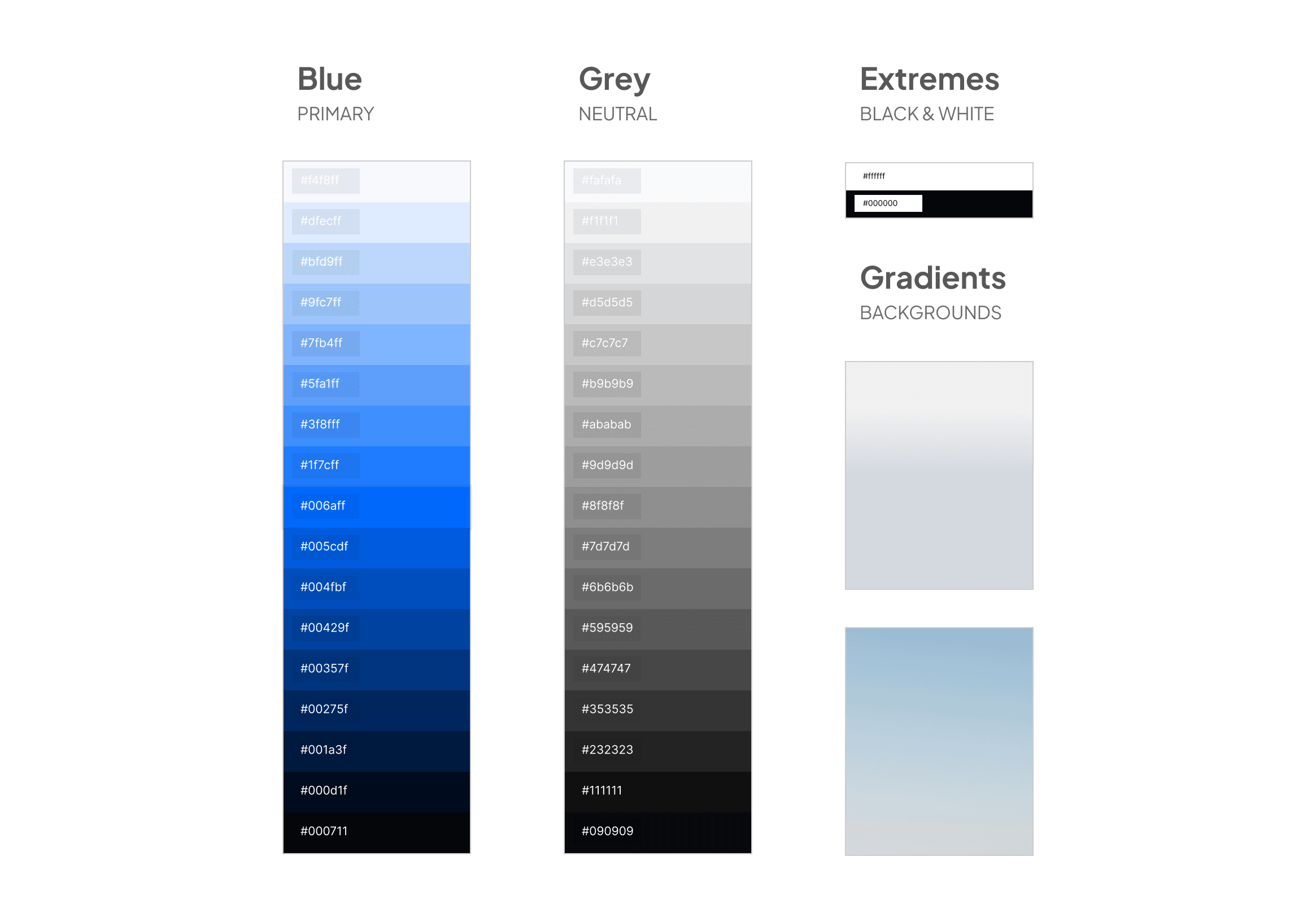
1. The "Trust & Comfort" Palette
I ideated a deep blue and soft beige colour palette for the app.
Blue carries the institutional trust that banks and NBFCs expect.
Beige (a Kindle-style e-ink surface, not white) cuts glare in bright sunlight and avoids the harsh white-block effect of typical mobile UIs.
White cards layer on top to group related data without heavy borders.
2. THE "CLEAN & GEOMETRIC" TypE
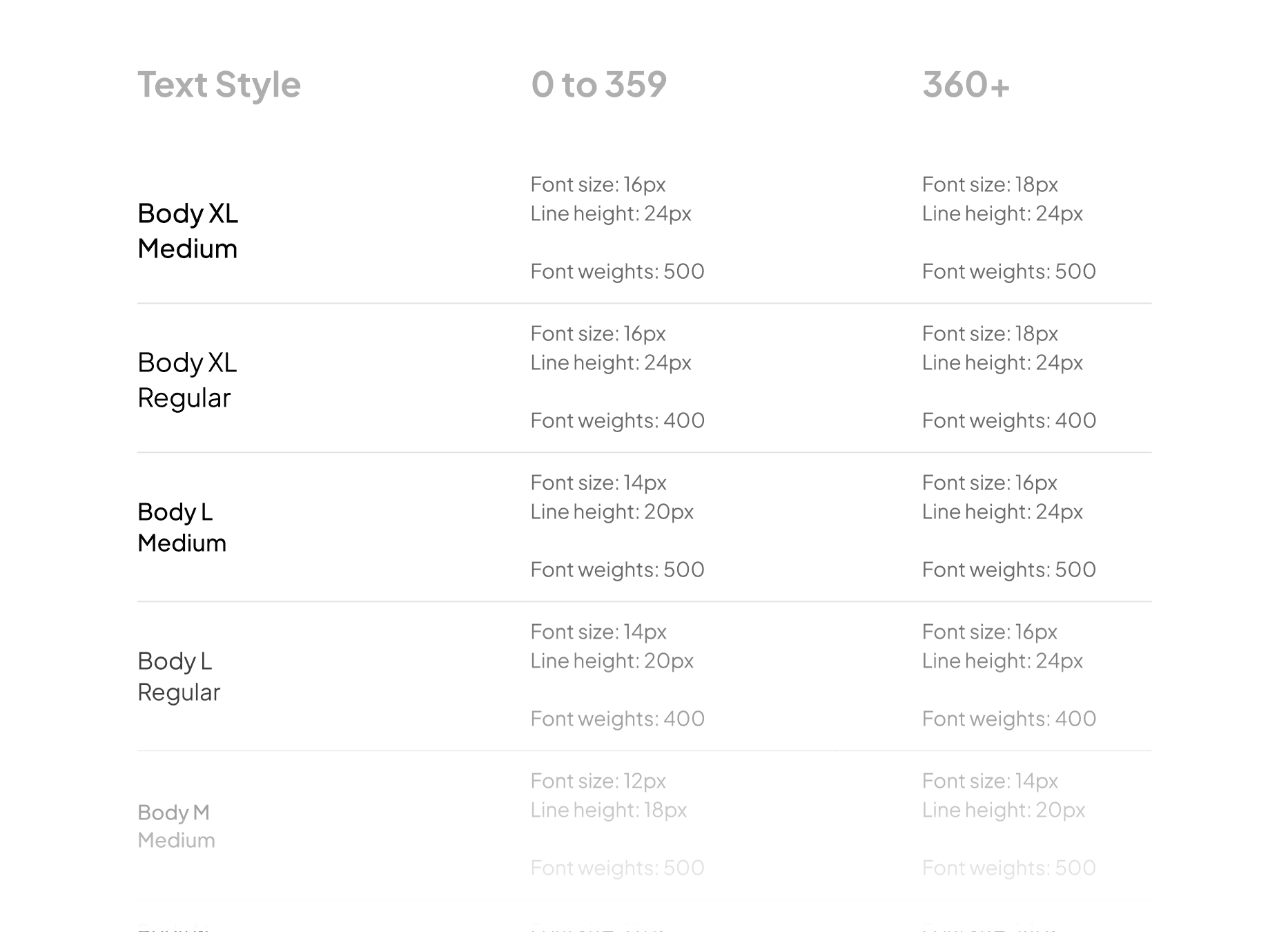
I decided to have Plus Jakarta Sans as the type choice throughout the app.
Bold weights reserved for critical identifiers (inspector name, property owner, MTR IDs) so the screen is scannable at a glance while moving. Regular weights stay quiet.
3. THE "Tactile & GENEROUS" Components
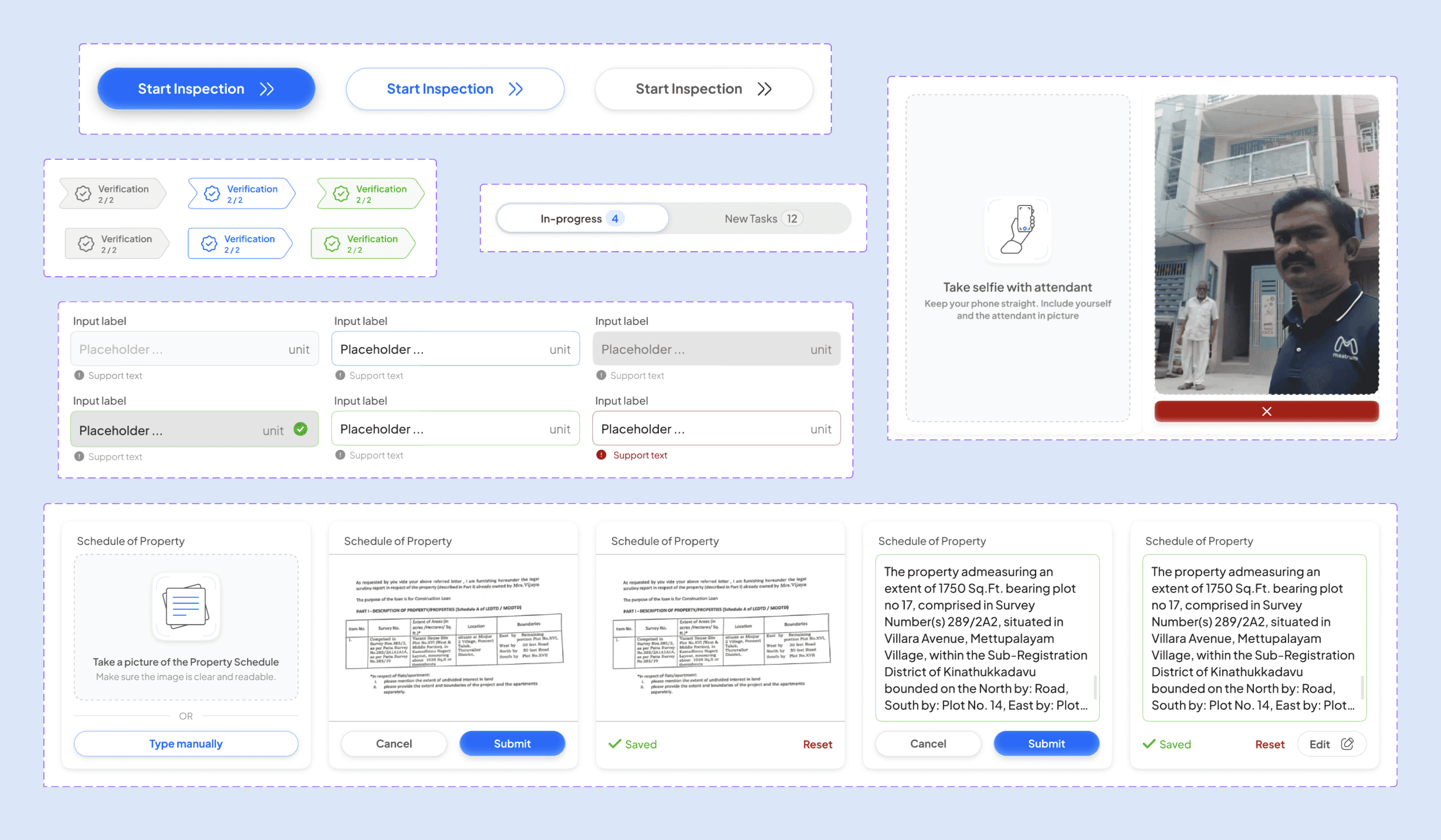
Blue-gradient primary buttons signal tappability even with sweaty fingers. Touch targets sized for imprecise outdoor taps. Consistent status indicators across verified fields, stepper progress and success modals. All semantic colors meet WCAG AA contrast.
Selected UX/UI Improvements
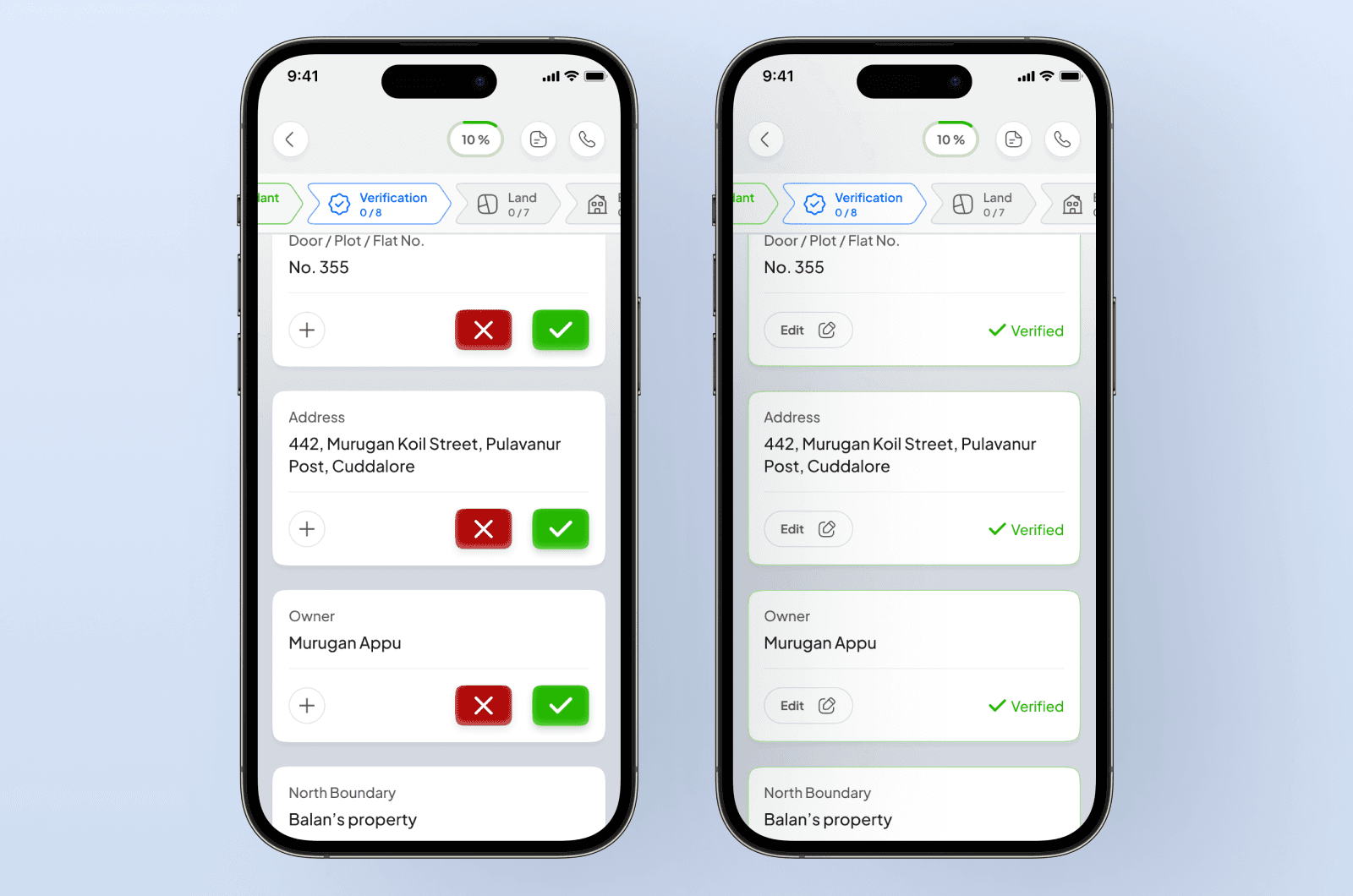
The "Verified" pattern
For boundaries, address and owner, inspectors aren't discovering data. They're checking it against bank records. I pre-populated these fields with a binary check. Edit appears only as a secondary action when there's a discrepancy.
Calculators over manual entry
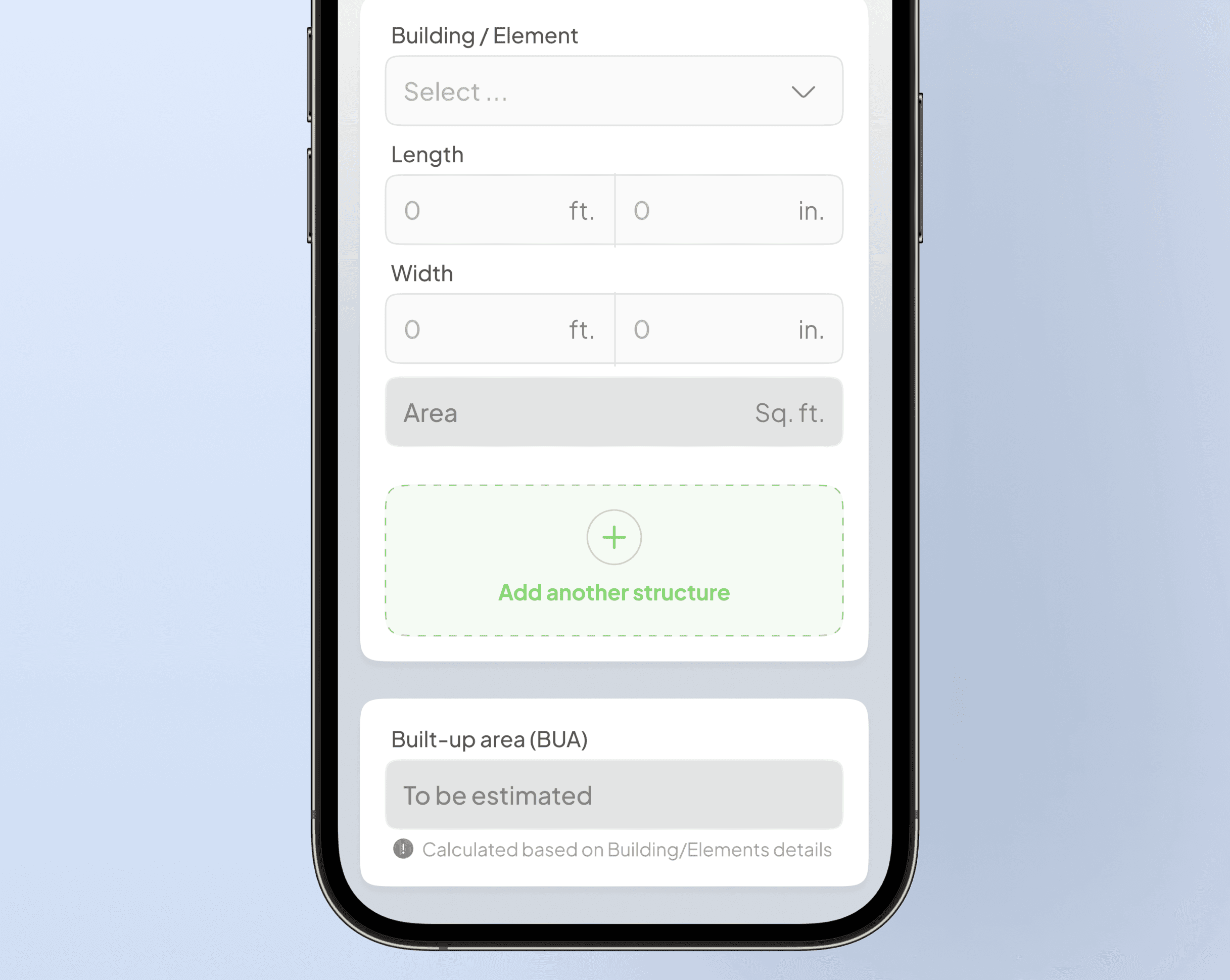
BUA from length × width was the top arithmetic error on paper. I split the field into length and width inputs and let the app compute area.
Labelled photo slots
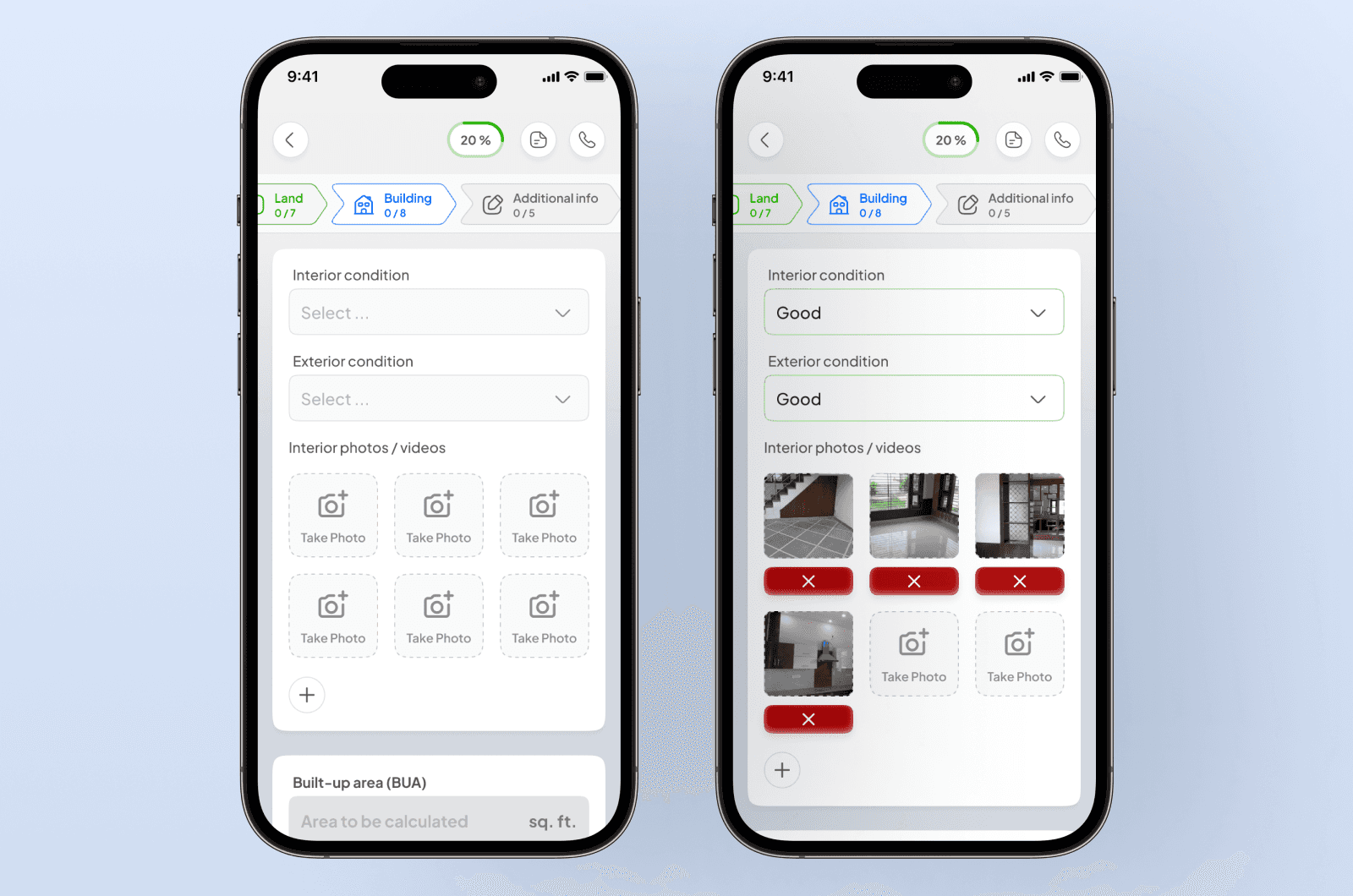
On paper, photos arrived in WhatsApp unlabelled and unmatched. I designed slots inline with the flow ("Front side", "Left side" and so on) with a one-tap camera trigger per slot.
Modular sections
Early pilot showed inspectors at vacant plots scrolling past irrelevant building fields. Selecting "Plot" as property type now removes the Building step entirely.
Unit toggles
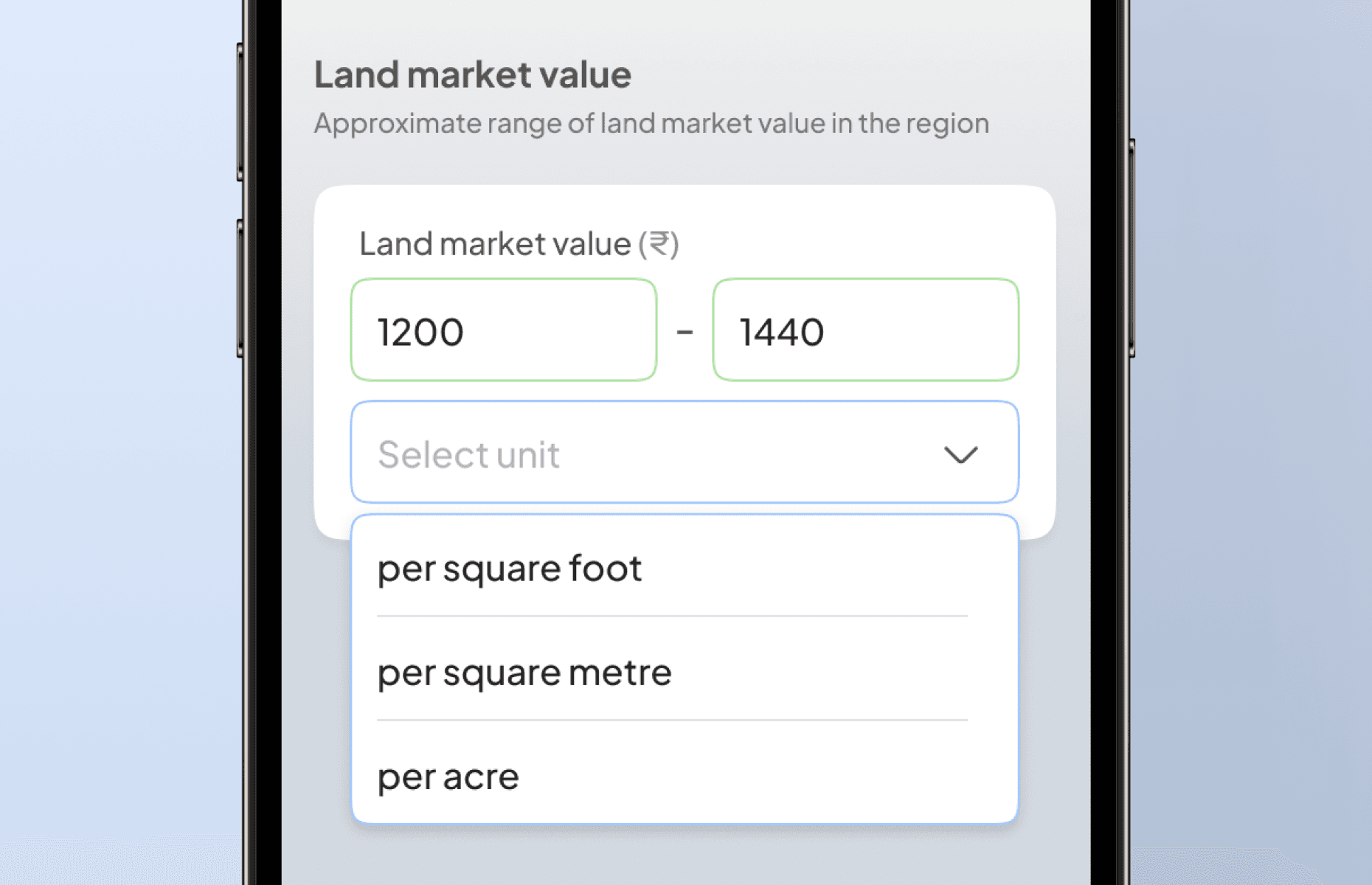
A unit selector on every dimension and valuation field lets a Tamil Nadu inspector work in square feet and a Kerala one in cents. The backend normalises.
Designing for Extreme Conditions
The "Bulletproof" Offline Strategy
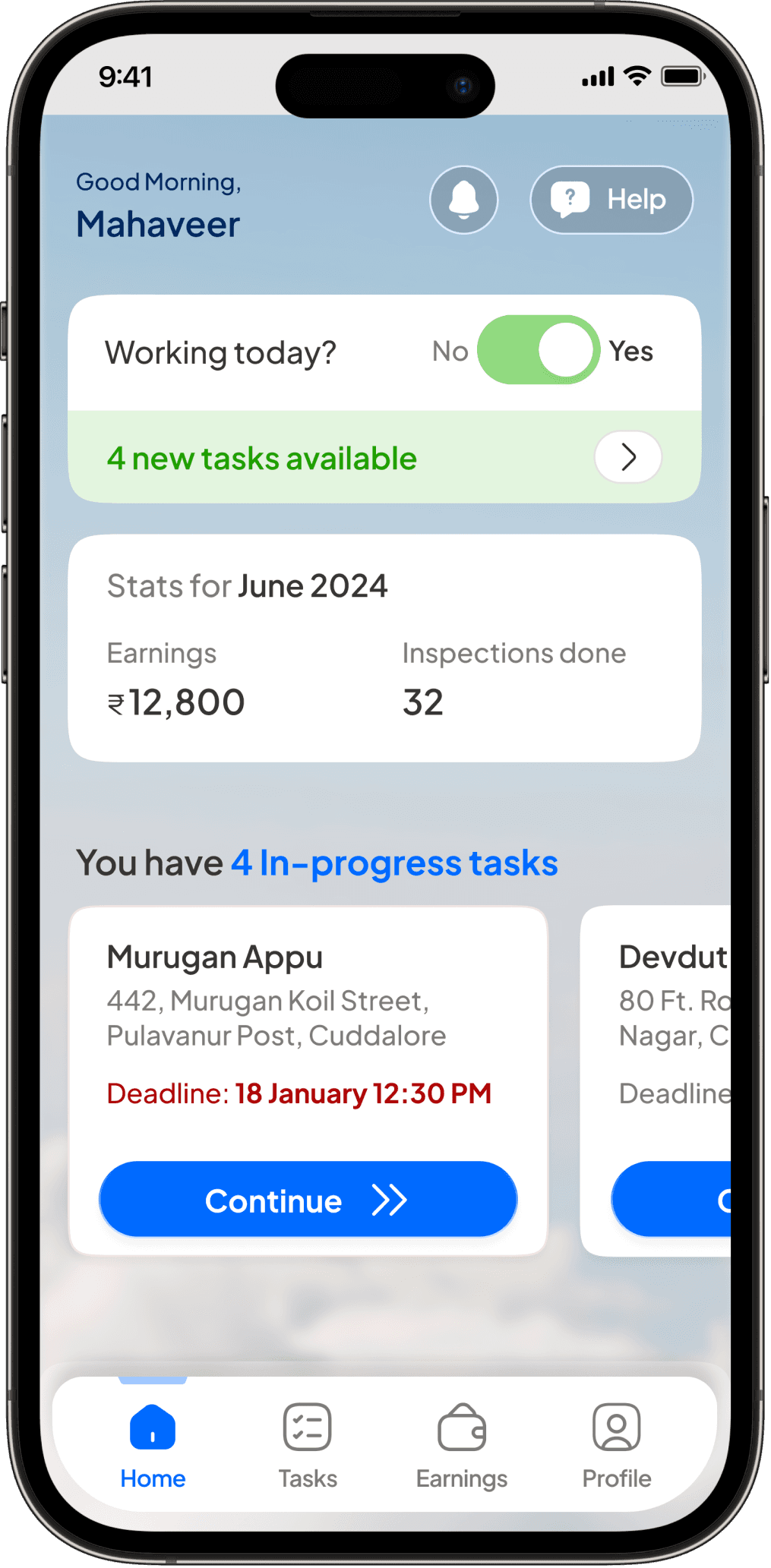
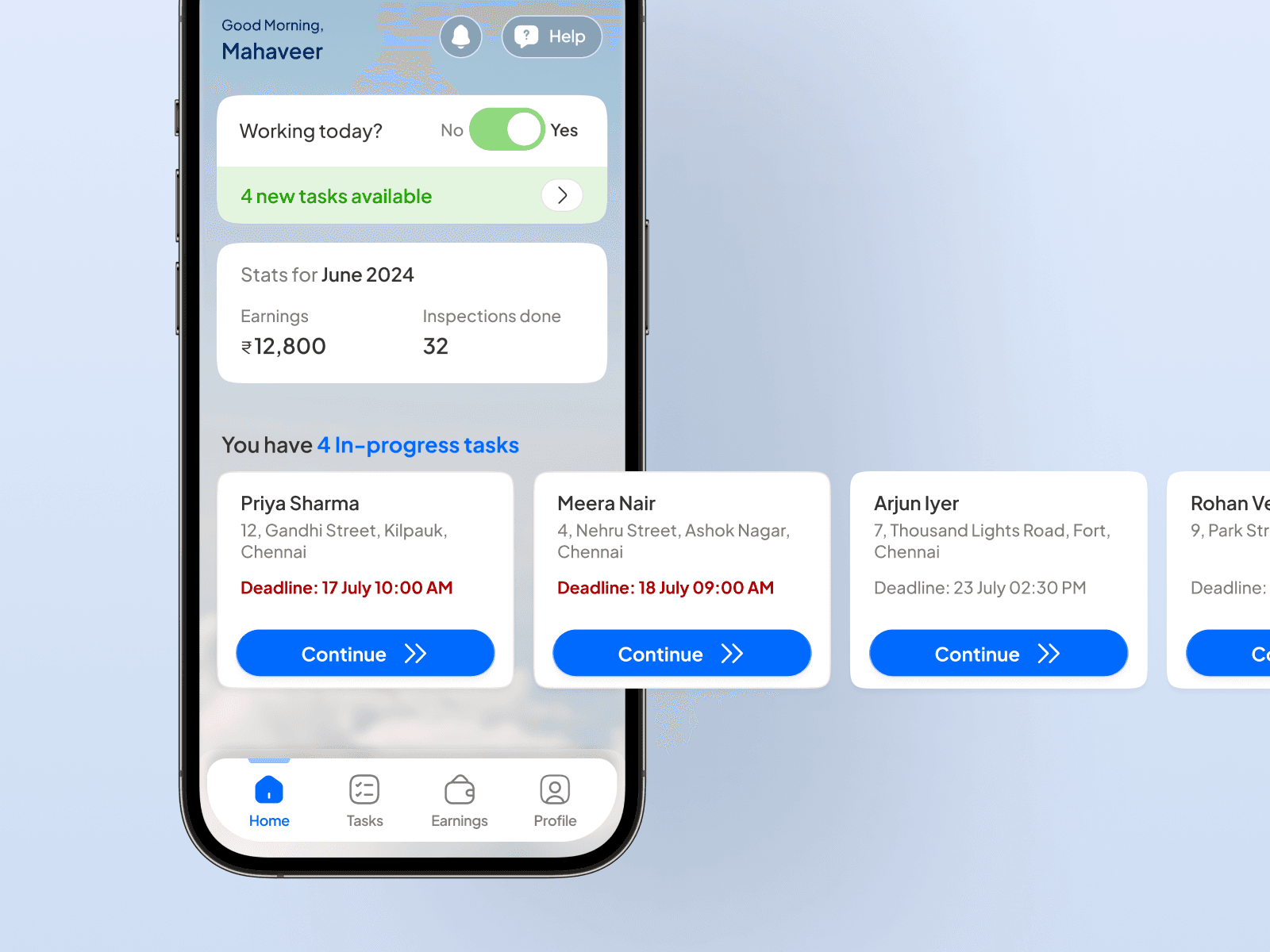
With no native sync, I treated browser localStorage as a vault. Every stepper transition writes to cache, keyed to the MTR case number. A crashed tab resumes via "Continue" from the home screen.
Communicating Sync State
A bottom-sheet modal on every Proceed or Submit shows sync state explicitly with cautionary text. Photos move through an async upload queue, marked "pending" until the network allows. After ship, the "did it save?" support tickets dropped to near zero (per Maatrum ops).
Engineering Collaboration
The backend dev and I worked side by side on how data moves through the app. On a mobile web app with no native offline support, design and engineering can't be separated.
For every stepper section, I mapped what should happen to the inspector's data. When to save locally. When to push to the server. What to show if the network drops mid-upload. If a photo upload failed, it waited locally and tried again when signal returned.
I reviewed every pilot build in person before it went to inspectors.
Results
The pilot ran 6 weeks across multiple regions.
95% adoption by pilot end. Maatrum ops tracked paper sheets received versus app cases week-on-week
Turnaround 3 days to <8 hours. Pre and post timestamps from the ops dashboard
~40% faster average inspection. Compared to the paper-then-data-entry workflow during the pilot
~80% fewer data inconsistencies in back-office QA reviews
1600+ cases completed via app to date
Summary
By mirroring the inspector's physical journey instead of digitising the paper form, I turned a 50-field sheet into a focused step-by-step experience that earned trust in some of India's most hostile field conditions.
Mahaveer turned a messy paper-dependent field process into a structured digital workflow our inspectors trusted from the first pilot. His instinct for real-world constraints, one-handed use, unreliable networks, outdoor glare, directly shaped the speed and quality of our valuation output.
Dr. Anosh Agarwal
Founder & CEO, Maatrum